Mailchimp connect to a newsletter

Hi!

I have the website https://calamiaresort.com/test2/
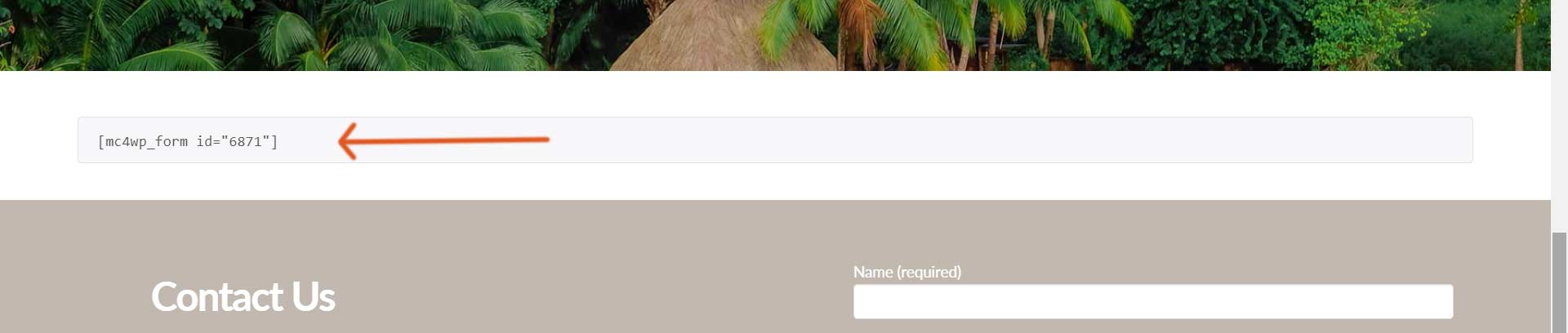
I would like to add a “Join our newsletter” form, and have a shortcode for it: [mc4wp_form id=“6871”]

When I am trying to add this inside the cornerstone website builder, I search for code, and the classic code snippet comes up. When I add the shortcode there it doesnt display correctly on the website.

Where should I insert this shortcode for it to work properly?

Thank you!

Kind regards
Maria
Hey Maria,

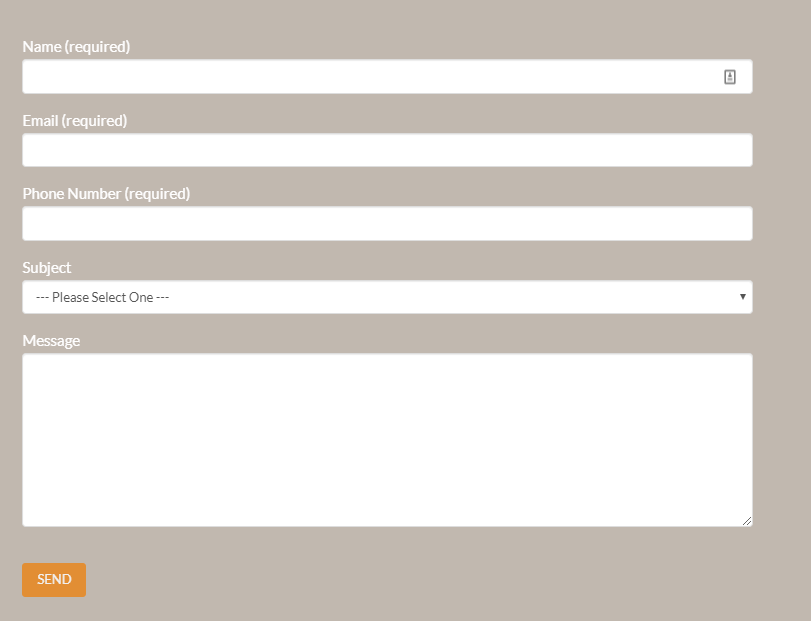
I believe you’re only referring to the builder’s preview because your form is showing correctly on the frontend. Or, you already resolved this because you’re now using the Raw Content element which is the correct element to use. The Code Snippet is for displaying code.

Hope that helps.

Hi!

No, that is the contact footer you sent a photo of.
I am talking about the “Sign up to our newsletter” form above the contact footer.
I inserted the mailchimp code [mc4wp_form id=“6871”] in a code snippet, but it shows the code on the website (it doesnt show the mailchimp form).

Kind regards
Maria

What should I do in order for the Mailchimp form to display correctly?

Thank you!

Hey Maria,

My bad. I scrolled past the shortcode. Anyway, my answer is still the same.

Please use the Raw Content element. Or, you could also use the Classic Raw Content, Content Area or even a Text element. The Code Snippet is for displaying code.

Hope that helps.

This topic was automatically closed 10 days after the last reply. New replies are no longer allowed.