Mail and phone icons not displaying properly

Hello, I have a display problem on the top right of my site. I had previously the Email and phone Icon displaying quite nicely but since a while only code is displayed instead of the icons. I do not know how to fix this and where to go to.

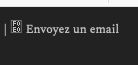
It should be on that image: mail icon followed by the text in French (read “Send an email”)

Where F0E0 is now displayed, before was the correct mail icon.

Thank you for helping me getting back these 2 icons.
Hello @PierreMeul,

Thanks for writing in!

The icons no longer work because we have updated it. Please have your icon codes updated and use this instead:

<i class="x-icon x-icon-envelope" data-x-icon-s="&#xf0e0" aria-hidden="true"></i>

<i class="x-icon x-icon-phone" data-x-icon-s="&#xf095" aria-hidden="true"></i>

And by the way, X 7.0.4 and Cornerstone 4.0.4 are now available in automatic updates! This release contains fixes for several issues, like you have mentioned above, so be sure to check out the changelog (https://theme.co/changelog/). Please do update to the latest version. After doing the updates, always remember to clear all caches when updating so that the code from the latest release is always in use. This will help you to avoid any potential errors.

Best Regards.

Thank you for your reply.

I can’t even remember where in themco is that code located and how to access/change it :wink:

How do I access that code which displays in top right corner of the screen these infos?

Hi @PierreMeul,

It seems like the code is in your Topbar, to access the code, navigate to X > Theme Options > Header > Miscellaneous > Topbar Content and update your code with the code suggested above by RueNel.

Let us know how this goes!

Perfect thank you, I was able to update it properly. :wink:

Glad we could help.

Cheers!

This topic was automatically closed 10 days after the last reply. New replies are no longer allowed.