Looking how to change a color in the web design

Hi,
I’m using x theme in my web with Icon stack. I’m trying to change one color in my desing but i’m not able to. I’ll explain with some pictures:

Here is the line that appear before “click”, yo can see around “BLOG”

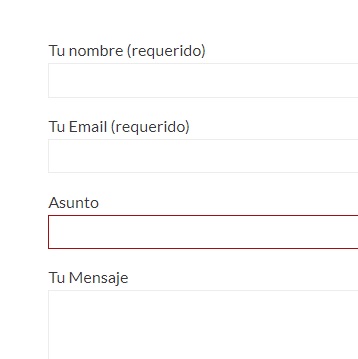
Here is the line around the text area when you don’t use (i mean, the grey not the red one)
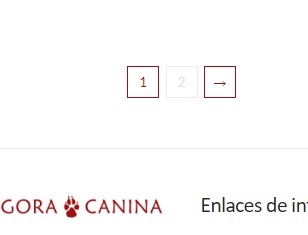
Here is the blog pages. The actual is red, as well as the hover, but other buttons (2 in this case) is also in grey.
That color is difficult to see when you have to complete a registration, for example, and i would like to change but i have no idea how to… neither i know if is the same in every case i show you. Any idea?

Thanks!
(and sorry… i’m not pro neither english speaker so i’ll try to explain the best I can)

Hello @agoracanina,

Thanks for asking. :slight_smile:

Please add following CSS under X > Theme Options > CSS:

.x-navbar .desktop .x-nav>li>a:hover>span {
    border-color: #a12320;
}

select, textarea, input[type="text"], input[type="password"], input[type="datetime"], input[type="datetime-local"], input[type="date"], input[type="month"], input[type="time"], input[type="week"], input[type="number"], input[type="email"], input[type="url"], input[type="search"], input[type="tel"], input[type="color"], .uneditable-input {
    border-color: #a12320;
}
.x-pagination a, .x-pagination span {
    border-color: #a12320;
    color: #a12320;
}

If you would like to learn CSS, I am sharing few resources that you take a look to get started with CSS and an interesting tool that you can use to speed up the development process.

I recommend you to watch following video that will help you to get started with CSS.

https://www.youtube.com/watch?v=MFR4WXiLzpc

Sometimes it can get a bit difficult to find out the right selector to be able to write the required CSS codes. A handy tool that can help you in this is Google Chrome dev tools. I am sharing the resource that you can refer to get started with dev tools.

https://developers.google.com/web/tools/chrome-devtools/css/

https://developers.google.com/web/tools/chrome-devtools/

https://www.youtube.com/watch?v=tP_kXBJWPhQ&t=200s

Thanks.

wow, thanks a lot!

I definitely need to learn something from ccs… I’m used to working with templates but increasingly I like to perfect and customize small details on my website, and that’s where I do not know how to do it.

I’ll have a look to your staff.

Thanks again!.

You’re most welcome! And yes, it will greatly improve your design and development process :wink:

This topic was automatically closed 10 days after the last reply. New replies are no longer allowed.