I want to add a headline in my web site. But I don’t know how to keep all text on the same line (not on 2 lines, as you can see in the picture).
How can I write long text (to the headline) on the same line?
Thanks so much!

I want to add a headline in my web site. But I don’t know how to keep all text on the same line (not on 2 lines, as you can see in the picture).
How can I write long text (to the headline) on the same line?
Thanks so much!
Hello Jorge,
Thanks for writing in!
If you wish to have long headline in same line then I suggest you to have a single column layout (this is also optional as layout depends on the requirement). Looking at the screenshot I think you have a multi column layout.
So, you can have a single column layout as that will give you a greater canvas space to have headline. Next, inspect the Section > Row and under Setup > Inner Container and click on Turn Off. Here’s a screencast that you can take a look.
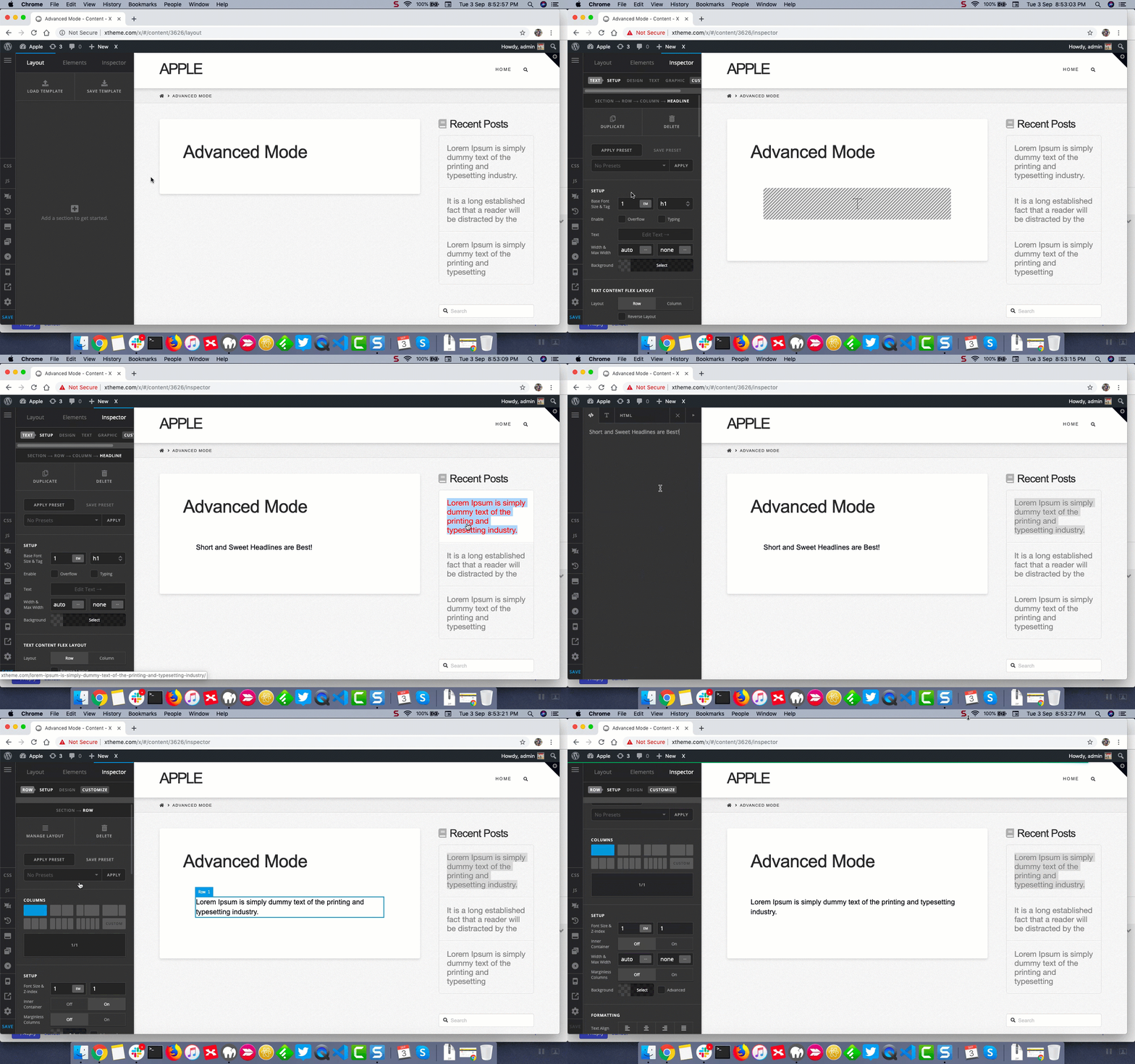
Thanks.
Hi @Prasant!
Thank you very much for the answer, but it doesn’t work. I have Turn On the Inner Container on all my website, but in this case, I don’t know how write the headline in the same line (in others pages I can do it, but not in this one). I don’t find the error.
Hello Jorge,
The Headline element is a block element which means it should fill the entire width of its container. Perhaps the container of the Headline element you are trying to use is in a limited column that is why the headline cuts to the next line.
Would you mind sending the URL of the page you are working on so that we can check and provide you some suggestions?
Thank you.
Hi Jade.
Of course, this is the URL: http://talentch-cp5003.wordpresstemporal.com/sobre-nosotros/
Thank you very much!!!
Hello Jorge,
Thanks for providing the link.
I have checked the page and the element has a max-width setting of 400px that is why the text inside it gets collapsed into the second line.
Kindly set the max-width setting of the headline element to none.

Hope this helps.
This topic was automatically closed 10 days after the last reply. New replies are no longer allowed.