hello,
the logo is shifting to the left and right on the theme, i havent made any customizations. do you know how i can fix this?
thanks!
hello,
the logo is shifting to the left and right on the theme, i havent made any customizations. do you know how i can fix this?
thanks!
Hi There,
To make the logo center, please navigate to Customizer > Header > LOGO AND NAVIGATION > Layout > select Stacked:
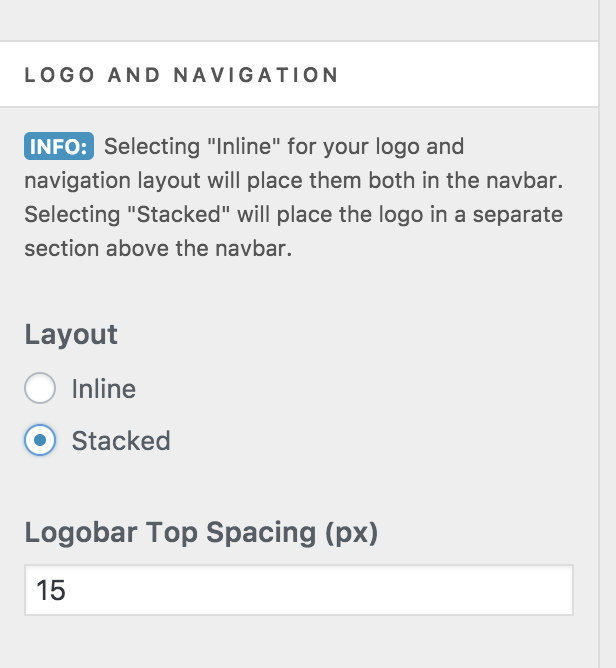
Hope it helps 
thanks, i changed the setting, but it makes the logo centered and menu below.
is there a way to get it to have the logo on the left and menu right aligned? see screenshot.
thanks.

Hi There,
Yes, that should happen when you select Navigation Inline instead of Stacked.
Please do that, and if your site is behaving differently from what you expect please let us know more details.
Thank you
Hi Joao,
This is what I had set before, so the logo is still moving when you click on the menu/page. I am trying to fix the movement of the logo. Whats making the logo jump around?
Thanks.
Hi There,
Please add this CSS under Customizer > Custom > Global CSS:
.x-navbar-inner .x-container.max.width {
    max-width: 100%;
    width: 99%;
}
Hope it helps
This topic was automatically closed 10 days after the last reply. New replies are no longer allowed.