Hi there,
What kind of padding would I need to make sure my content always aligns with my logo?
Right now it varies by screensize, but i would like to make the top column on my home page align on the left with the left of the logo.
Thanks
Hi there,
What kind of padding would I need to make sure my content always aligns with my logo?
Right now it varies by screensize, but i would like to make the top column on my home page align on the left with the left of the logo.
Thanks
Hi There,
Please add the following CSS under Customizer > Custom > Global CSS:
.x-navbar .x-container.max.width {
    width: 75%;
}
Hope it helps 
Thanks - that locks my logo into place, but how do i lock the content into place so that it stays on the same vertical alignment with the logo?
Sorry for the confusion. Please don’t use custom CSS. Though it would work, you’ll need a lot of modifications.
If you look at our Integrity 1 demo, you’ll see that the content aligns with the logo out of the box. That is possible because of the Row’s Column Container which uses the same classes as the structure that contains the elements (logo and nav) in the masthead.
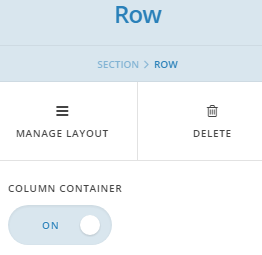
The parts that you see not aligned are elements that are centered inside the column and rows that the column container is disabled so the column spans the width of the screen.
With that said, you need to design your content within those constraints. Otherwise, you’ll need a lot of CSS to align stuff. In which case, you’ll need to hire a third party developer.
Thanks.