Hello,
can I get some help on my logo, it is two different shade of black. I would like to get it to be just one shade.
https://wellneos.com/?utm_campaign=shareaholic&utm_medium=reddit&utm_source=news
Thanks!
Hello,
can I get some help on my logo, it is two different shade of black. I would like to get it to be just one shade.
https://wellneos.com/?utm_campaign=shareaholic&utm_medium=reddit&utm_source=news
Thanks!
Hi Ryan,
Thank you for reaching out to us. To match the logobar background color with your logo, go to Theme Options > Renew > Logobar Background and change the color to #000
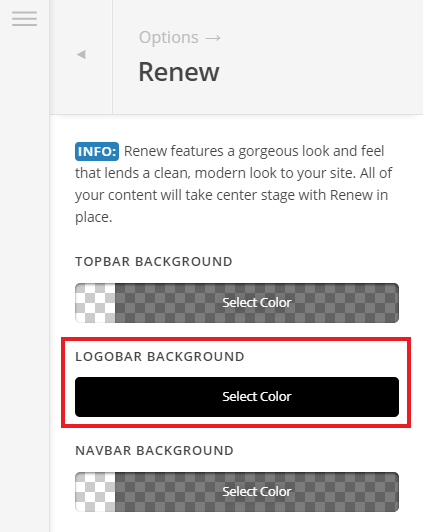
Hope this helps!
Thanks for the help!
I 've got another question, how do I create the menu bar?
Hey Ryan,
You will have to create the menu in WP Admin > Appearance > Menus:
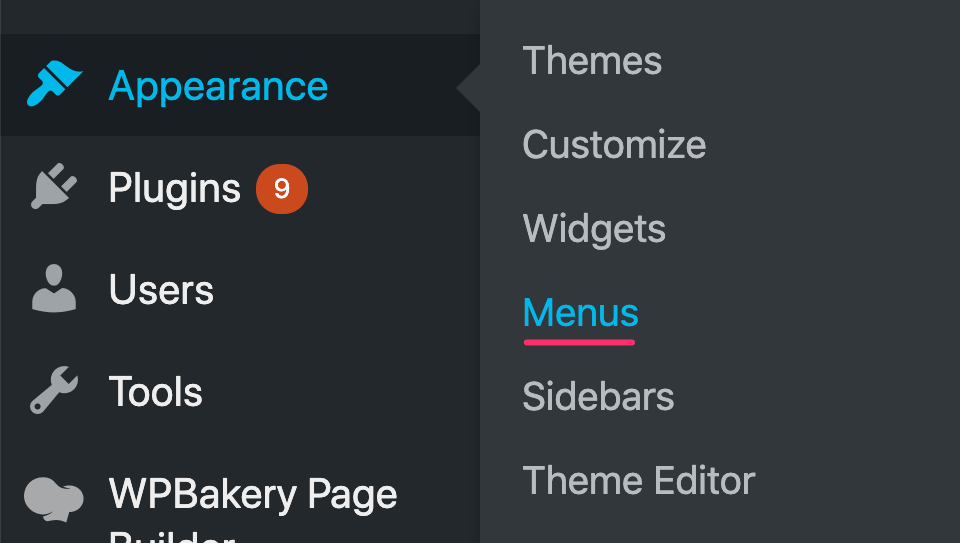

Then set the menu as the Primary Menu:
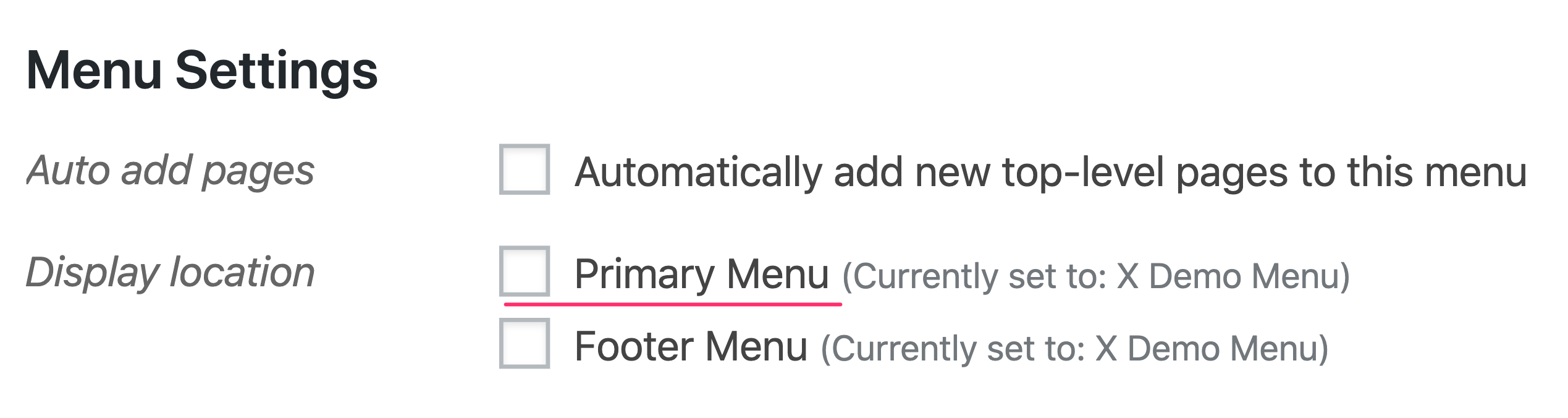
Whatever primary menu is set will be the menu that will be display in the header area of your site.
Hope this helps.
Thanks, but I’ve gotren that far. I’m trying to figure out how to put my blogs under categories?
My website is www.wellneos.com if you can take a look?
Also, no menu is showing up on my cell phone view.
Hey Ryan,
To fix the mobile menu visibility issue, please add the following code
.x-btn-navbar {
    color: #000 !important;
}
Alternatively you can navigate to X > Theme Options > Ethos and change the Navbar Background color:
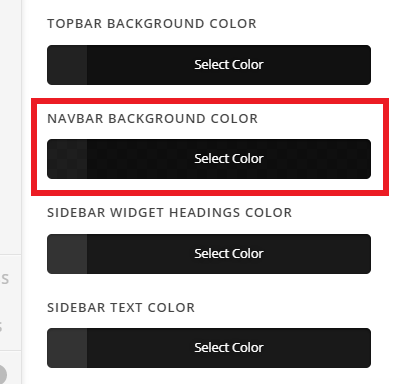
Since the button color is white on a transparent background that’s why it isn’t visible. For this to work, you’d need to remove the following custom CSS that you have:
.x-logobar, .x-navbar, .x-navbar .sub-menu, .x-colophon.top {
    background-color: transparent;
}
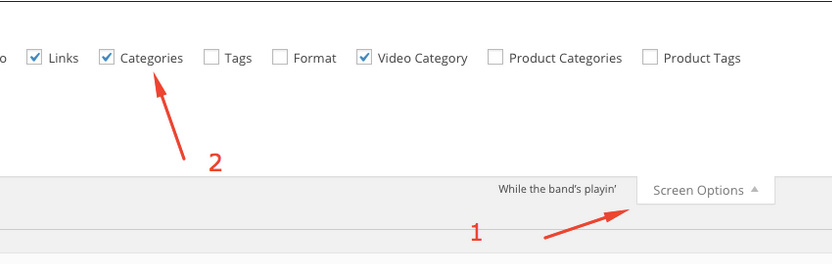
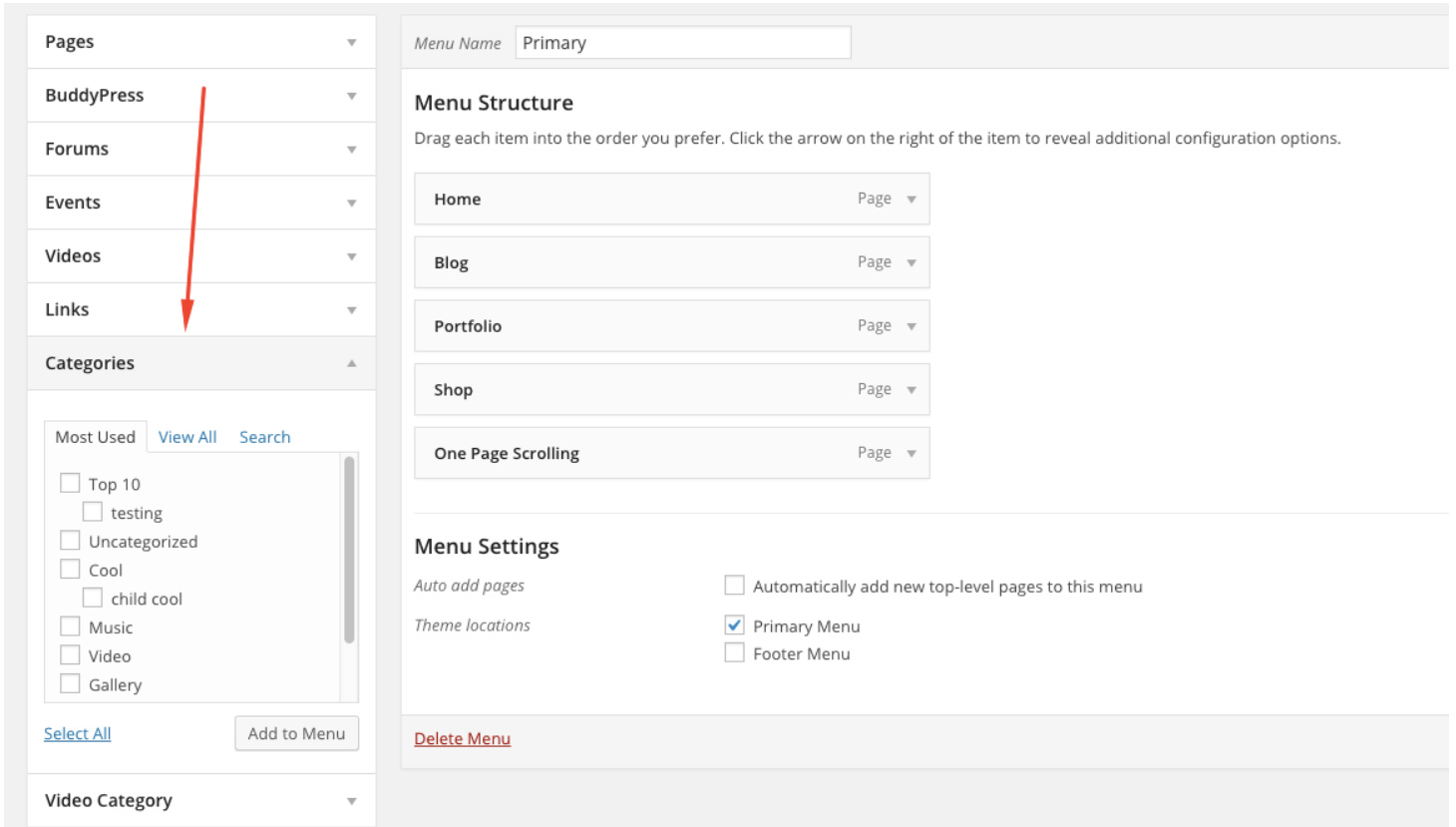
Do you want to add a Category menu item and add blog posts in it? If that’s the case then enable Categories option under “Screen Options” in your menus (“Appearance > Menus”) page. After that, you can select your categories as menu items under Categories dropdown:
Now to add posts under the Category menu item, simply add posts under your categories as sub menu items:
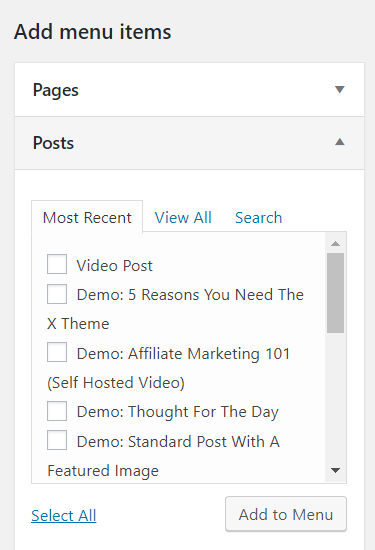
Hope this helps!
This topic was automatically closed 10 days after the last reply. New replies are no longer allowed.