Live Preview not working in Pro Header Builder (setting changes not taking effect)

Hi,

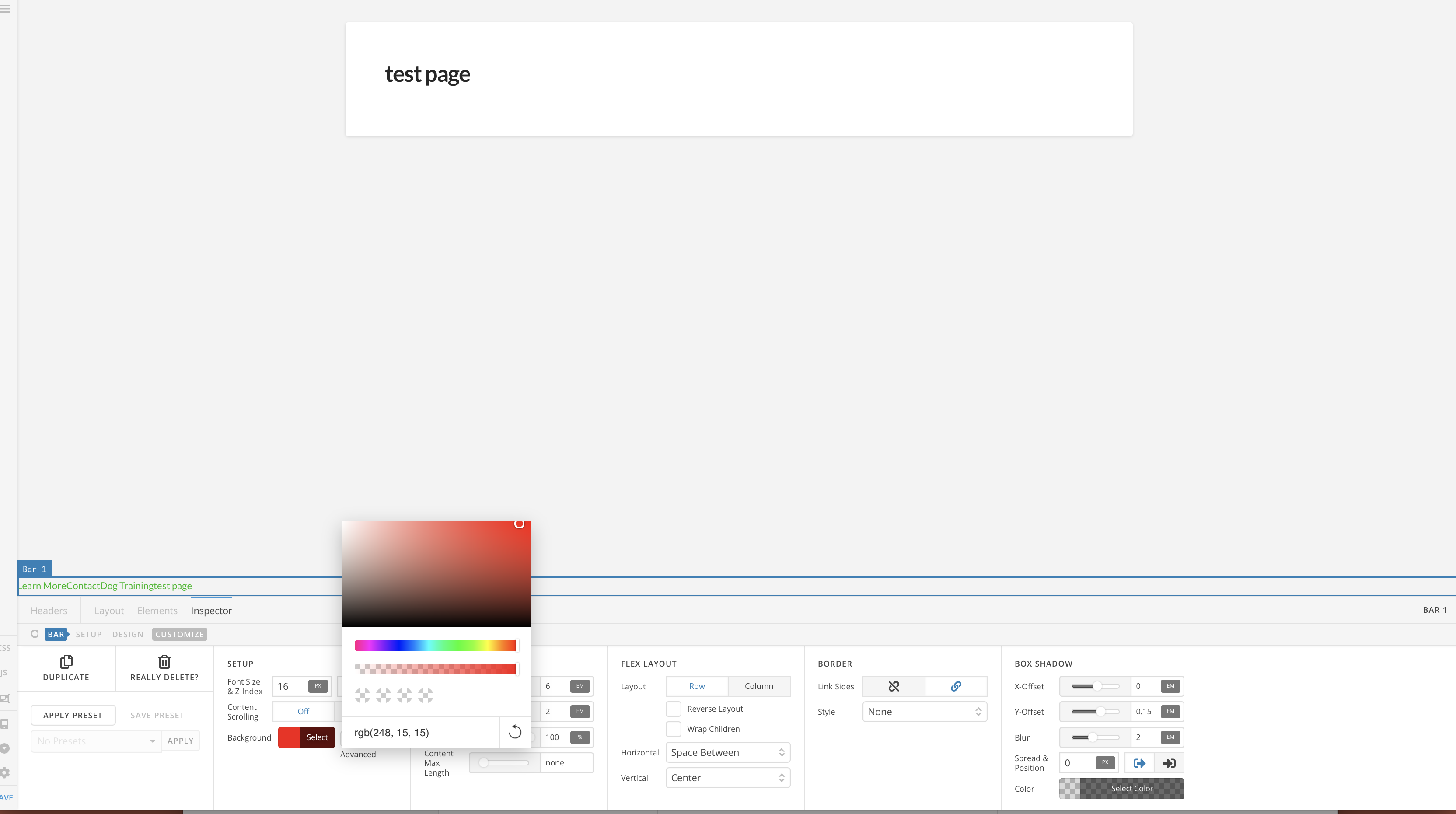
I’m unable to get the header builder to work properly. I can create bars, containers, and add elements, but none of the setting changes for these items have any effect in the header builder. For example, in the screen shot you can see that the container background color is not red, as selected, and none of the other formatting shows. I have reset cache and disabled plugins to no avail.

The content builder does function perfectly.
Hello There,

Thanks for writing in! Please make sure that the very first page assigned where the header should display is using Blank - No Container | Header, Footer or Blank - Container | Header, Footer. The header must be present in the very first page so that the preview will work.

It is best that you provide us access to your site so that we can investigate the issue.

Thank you in advance.

Thanks. Unfortunately, that doesn’t seem to be the cause.

Hi,

Can you provide us your site url.

I tried that login on three sites listed under your account but it doesn’t work.

Thanks

Apologies, here’s the info.

Hi There @noumenon

Upon testing your issue further, I see that you have renamed Pro theme under /wp-content/themes so that it will not function properly. You need to use the original Pro filename so that it will function correctly (/wp-content/themes/pro).

I suggest you to delete any Pro theme copies under your /wp-content/themes/ directory, then download the latest version of Pro theme from your Theme co account, then reinstall Pro theme and validate. That should resolve your issues.

Let us know how it goes.
Thanks!

1 Like

Thank you! That was the fix!

You are most welcome. :slight_smile:

This topic was automatically closed 10 days after the last reply. New replies are no longer allowed.