When editing text in a Cornerstone text element, I am trying setup an active link using the link button in the visual editor. When I highlight the text and click the button, the text turns blue and gets an underline, but the editing options do not appear. When I look at the content in the text editor (non-visual), no actively link code has been added to the content. When I switch back to the visual editor, there is no more highlighted text or underline. I closed out of Cornerstone and created a new page and attempted to add some text with an active link using the link button in the native WP editor (non-Cornerstone) and the active link appears just fine, complete with the editing options (i.e. gear). Is there something I can do to fix this?
I am also have the same problem.
Hi @cliftonclub,
I tested the case and it is working ok on my installation:
This shows that there is a conflict of some kind on your installation and environment which we need to rule out one by one:
- Test for 3rd party plugins, deactivate them and see if it fixes the problem.
- Make sure that you are using the latest version of the Theme (5.1.1) and Cornerstone (2.0.6).
If you still experiencing the problem kindly get back to us with the URL/User/Pass of your website using the Secure Note functionality of the post.
Thank you.
Thanks Christopher. Through some trial and error, I have determined that yes, there is a plugin that is causing a conflict so that the active link button is not functional in the Cornerstone editor. This plugin is integral to my site: it handles memberships to the site which includes login/logout plus determining who can see what pages on the site. It will be difficult, if not impossible to replace this plugin with an alternative. Knowing this, what do you suggest is the best way to resolve the issue? Thanks again, Del
Hi there,
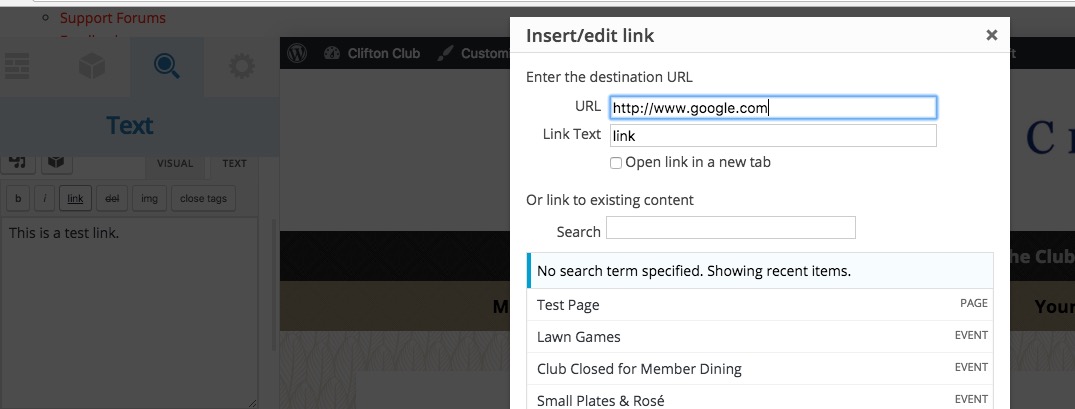
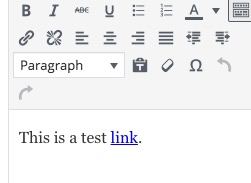
I double checked your website and saw the area that you are experiencing the problem by the plugin you mentioned. At the moment I could not find any work around to make this work, but one thing that I see is that you temporarily can switch to text mode and use the link button there to add the links. It seems it is working correctly there.
I added a test page which I created on your installation:
Thank you.