Linking Logo in Header to Homepage

Hello So I created several custom headers for each page on my site. For each page, there is a logo in the header, except the logo does not point to the home page automatically. I’ve not created over 10 different combinations of nav bars/menus but none of the logos are linked. Is there anyway to link the image on all the headers and footer to the home page of the site in one go?

Here is my site:
Hi There,

The only way to make the logo links to home page for every header to make a header and duplicate it, and change the required area. The header builder is completely flexible to customize, there no logo module which can link to home page for every header.

Hope this is clear for you.

Thanks

Okay but how do you link the image/logo in the header edit area? when I click on the image there is no field input for a link to the home page?

Hi There,

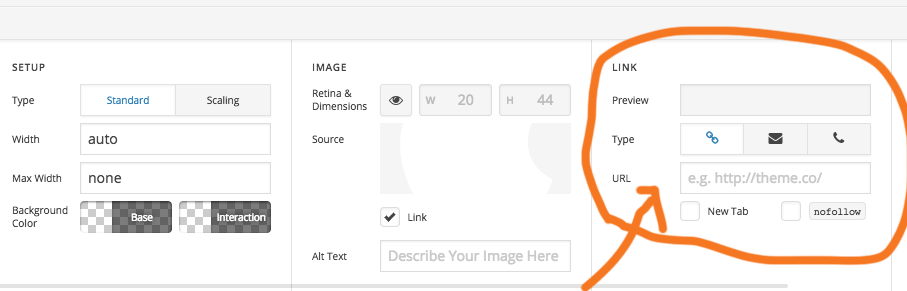
when you select the image you will find the link section as attached image. Please add your home URL or any other url you want add.

Hope this is clear.

Thanks

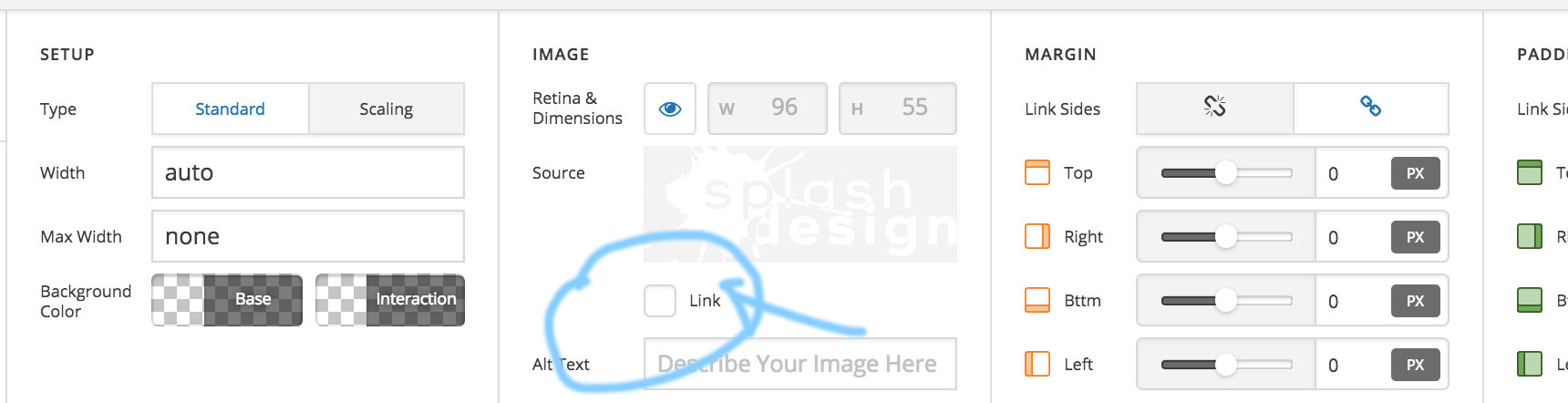
I don’t have that box for the link, see here:
CloudApp

Please click on the link check box to active the section.

Thanks

This topic was automatically closed 10 days after the last reply. New replies are no longer allowed.