Hi there,
Is it possible to force a line break in the hover text for a classic image element? I’ve tried
and others but don’t seem to work.
Many thanks!
Hi there,
Is it possible to force a line break in the hover text for a classic image element? I’ve tried
and others but don’t seem to work.
Many thanks!
Hi @jasksks,
Would you mind sharing the URL where you want line break? I am asking because by default classic image element doesn’t have text option. Not sure if we have misunderstanding on how you add it or in case you are using a different kind of element. Line break can be force using maximum width on text element or putting an actual break tag <br> . Once you share the URL and specific section with this issue, we will gladly help. Thank you.
Hi @Lely, thank you for your help! I’m actually talking about the Info Content text within a classic image element. 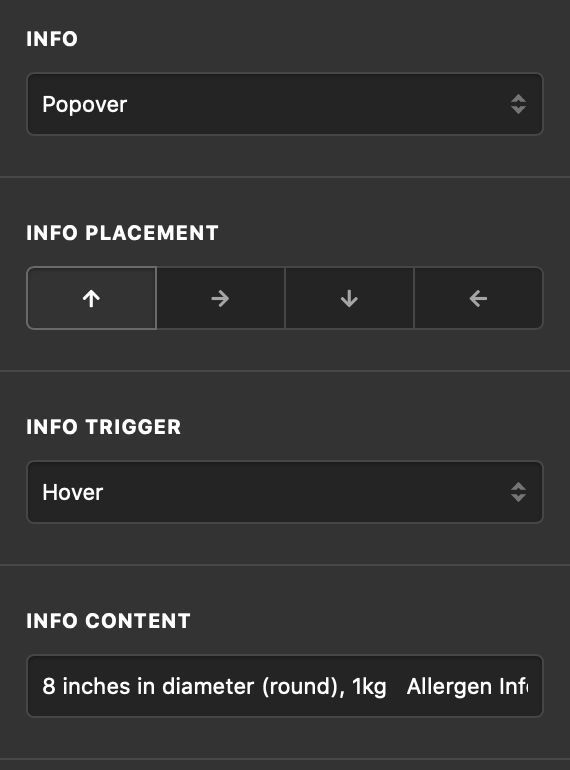
I have classic images element here http://thesapling.sg/cakes-2020/ and was wondering if it was possible to force a line break in the popover info content that appears when hovering over the image. I’ve tried using
between the words “1kg” and “Allergen’” but it doesn’t seem to work.
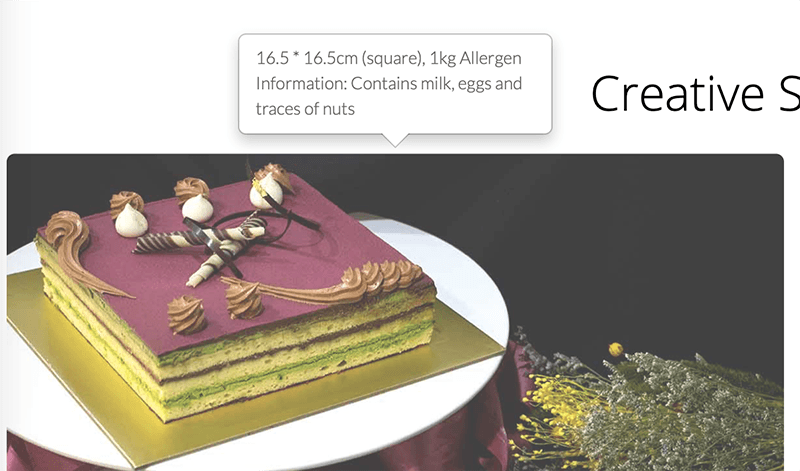
Hi @jasksks,
Thank you for the clarification. Unfortunately, popover doesn’t accept html. This means we can’t add break tag that will force the line break. There’s an option to set maximum width, this will attain the same thing but it will affect all your popover content. You can add this on your page Content CSS
.popover{
 max-width: 150px; /*Adjust this accordingly*/
}
We did a request before to enable html in popover and I visit the said request and it says we were not going to do it. At this point, adding maximum width is the only option. Thank you for understanding.
No worries! Thanks for the great css suggestion! Really appreciate it!
This topic was automatically closed 10 days after the last reply. New replies are no longer allowed.