Hi @swimdg,
Thanks for reaching out.
-
Would you mind providing a screenshot? The video controls are displaying just fine, plus, it’s a youtube video where the player controls are handled by their own player.
-
That’s possible, please add the class with_play_button to your image’s class.
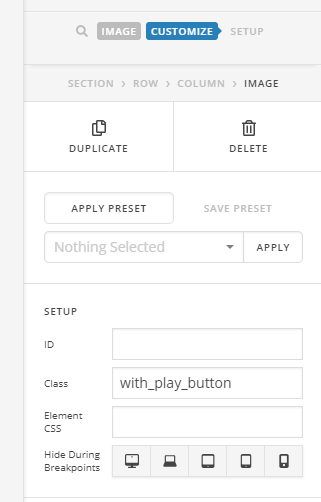
Then add this CSS to your global custom CSS.
    .with_play_button {
     position: relative;
    }
    .with_play_button:after {
     font-family: 'FontAwesome';
     position: absolute;
     content:'\f04b';
     display: block;
     top: calc(45% - 2rem);
     opacity: 0.9;
     text-align: center;
     width: 100%;
     font-size: 3rem;
    }
This is just a snippet to help you get started, we don’t support further customization on any provided custom CSS. Please enhance it to your preference.
- You should unique classes for each image and lightbox if you wish to display video per lightbox window. Example,
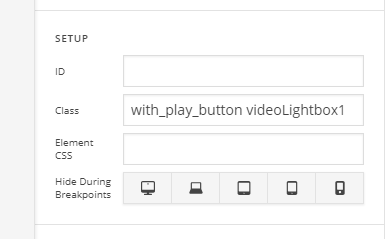
Then the shortcode will be [lightbox selector=".videoLightbox1"]
Then videoLightbox2, videoLightbox3 and so on.
Hope this helps.
