Layoutbuilder post navigation buttons issue

Hi! Im setting up a new blog post item, with the new layout builder.
I have realized the the post navigation buttons element, work completely the opposite to the old post navigation buttons that I have on each post.

I think the most logical setup is for the buttons to mean:
left button to the first and newest post
right button to the older and towards the last post

As far as I have understood there is not setting to reverse this action, I tried to use the the flexbox reverse options, but it didnt do anything here

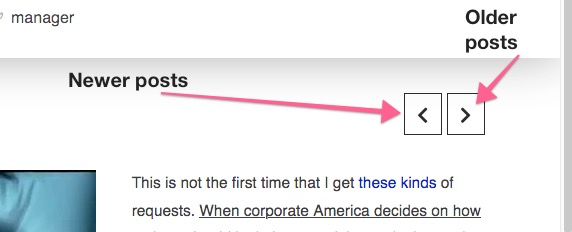
NEW BUTTONS
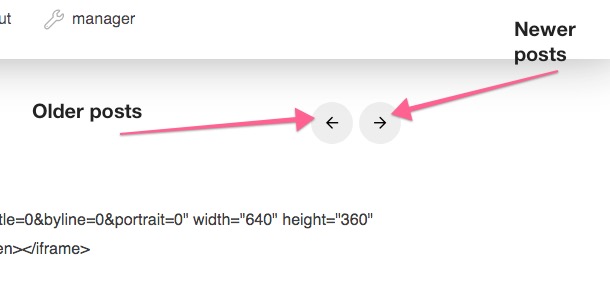
2020-12-26 at 00.13

OLD BUTTONS
2020-12-26 at 00.15

I suggest letting the user flip the buttons if they want to.
Thanks for your help

Wordpress: 5.6
Pro theme: 4.0.10
Hello @ke_ev14,

Thank you for the very detailed feedback. I can confirm that this is a bug in the latest release. I have forwarded this to our developers to make them aware of this issue. In the meantime, you can get around this by doing the following:
1.) Insert an inline element CSS in the Post Navigation element:

$el .x-paginate-inner {
    flex-direction: row-reverse;
}

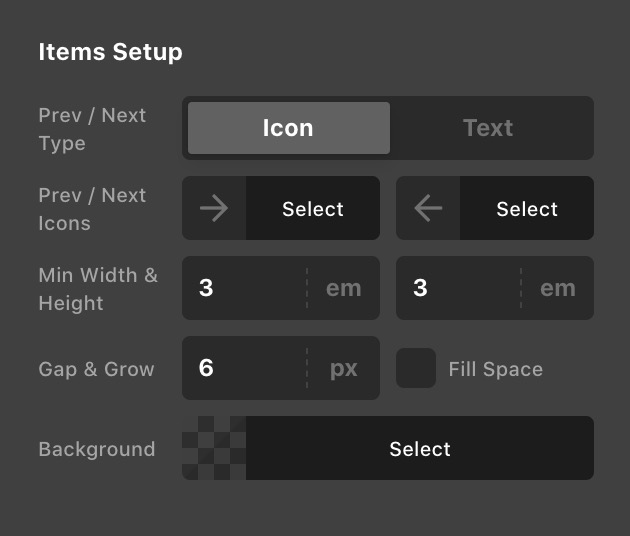
2.) Swap out the arrow icons for the left and right

Hope this helps.

1 Like

Thanks again for your quick responses. I will try this suggestion, much appreciated!

You’re welcome.

This topic was automatically closed 10 days after the last reply. New replies are no longer allowed.