Hello!
I would like to make the content on my pages a bit more boxed. Right now I’m using the Icon stack, and I have the whole site on fullwidth. When I try to change the site width nothing happens, and when I change the site max width the whole site squishes.
Is there a way to make the content (for example text in a post) more narrow globally, without manually adjusting the margins through cornerstone?
Thanks a lot!
Hi There,
Thanks for writing in!
The site max width in X > Theme Options > Layout & Design will adjust the maximum site width container of the page in pixels.
The Site Width is the actual percentage width of your site in relation to the browser width.
The content width is the width of the content area. If the content width is 72%, that would mean the the sidebar will only have at least 28% width.
Is there a way to make the content (for example text in a post) more narrow globally, without manually adjusting the margins through cornerstone?
- Could you please provide a mock layout, screenshot or a url of the page so that we will have an idea which width do you want to be narrow globally.
Thank you.
Thank you.
-
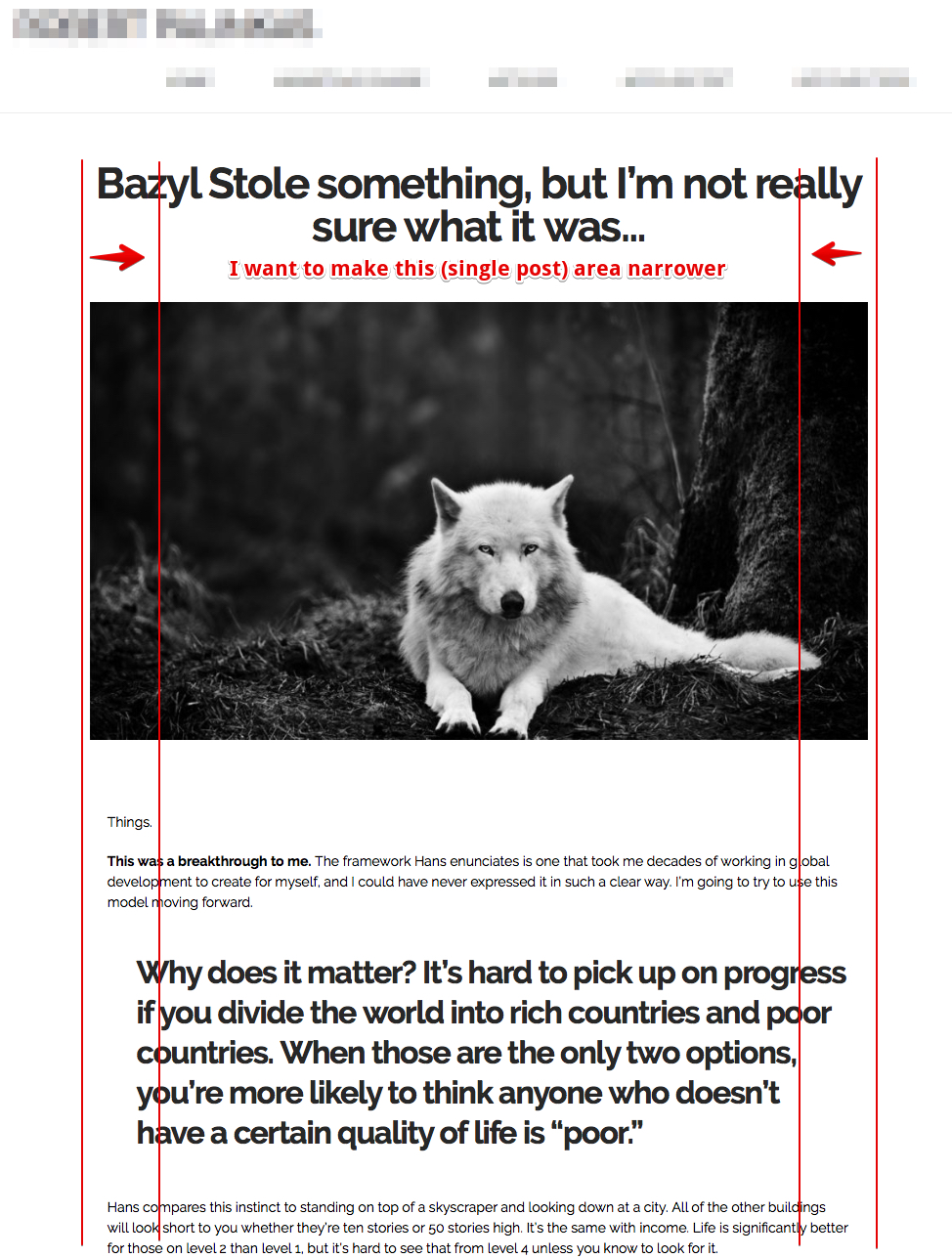
I don’t want to change the overall width of the site (that would change the header, etc.). I only want to change the width of the area the posts are displayed in.
-
The “content width” control doesn’t seem to do anything for me. It doesn’t make any difference what I set it to, the width of the single blog post remains the same.
-
Attached a screen shot.
Hello There,
Thank you for the very detailed information. To resolve your issue, please add the following CSS code in the X > Theme Options > Global CSS (http://prntscr.com/evui3r)
.single .entry-content.content {
    max-width: 600px;
    margin-left: auto;
    margin-right: auto;
}
Feel free to change the maximum width value if 600 is still wide enough.
Thank you, the shortcode worked for the text, but the featured image is still very big.
Hi there,
I checked the domain that is in the licenses of your account but the site has an under construction page active.
Would you mind providing the link to the page you are working on so that we could check it?
Thank you.
Sent you a secure note.
One addition: it isn’t only the image, it’s also the post title, pls see attached screen shot. I guess the size and alignment of these 3 elements are controlled separately…?
Thanks!

Hi,
To fix the alignment, please add the code below in Theme Options > CSS
.single-post .entry-featured {
    margin: 5% auto 0 !important;
}
Hope that helps
Yes, it solved it - thanks a lot! 
You’re more than welcome, glad we could help.
Cheers!
This topic was automatically closed 10 days after the last reply. New replies are no longer allowed.