The button on my LayerSlider slide is not aligned with the text. Please see http://gnflooring.staging.wpengine.com/
Hi There,
Please change the height & width of buttons to auto instead of fixed height, width:
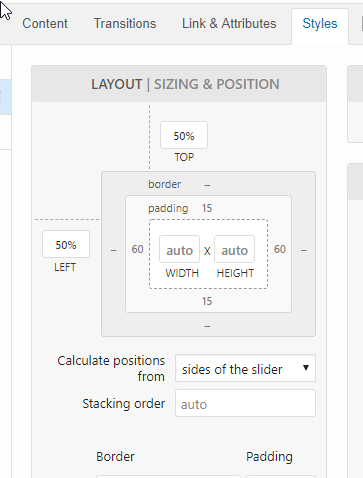
Hope it helps 
It is on auto 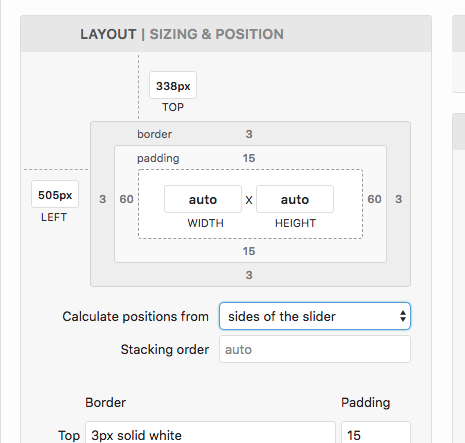
Hi again,
Try this: give your section that contains the slider a class e.g layer-slider-section and then add the following code in the Theme Options > CSS:
.layer-slider-section .ls-wrapper > .ls-layer {
    width: auto !important;
    height: auto !important;
}
Let us know how this goes!
Awesome! That did the trick!
You’re most welcome.
This topic was automatically closed 10 days after the last reply. New replies are no longer allowed.