As I can’t edit the portfolio page I would like to have the same post layout using instead the “latest posts” elements
thanks
As I can’t edit the portfolio page I would like to have the same post layout using instead the “latest posts” elements
thanks
Hey @MrK,
Regretfully, at this time I am not entirely certain what it is you would like to accomplish based on the information given in your email. If you wouldn’t mind providing us with a little more clarification on what it is you’re wanting to do (a link to a similar example site would be very helpful, or perhaps some screenshots), we’ll be happy to provide you with a response once we have a better understanding of the situation.
Thanks.
 this is the layout for the latest post element
I would like to have instead this layout:
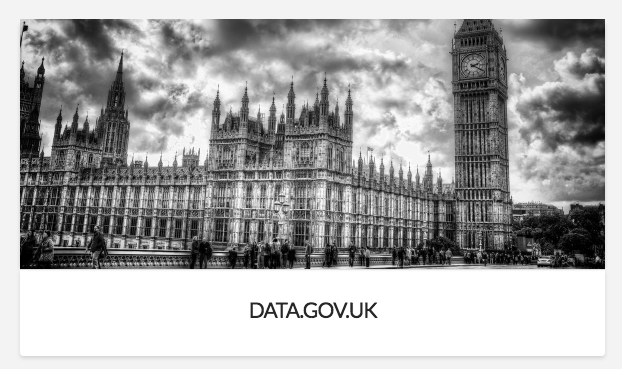
I suppose I need to add into the latest post elements the same CSS class of the portfolio?
Hope I’ve explained better
Hey @MrK,
Please add this code in Theme Options > CSS.
.x-recent-posts a {
    padding: 0;
}
It should look like this:
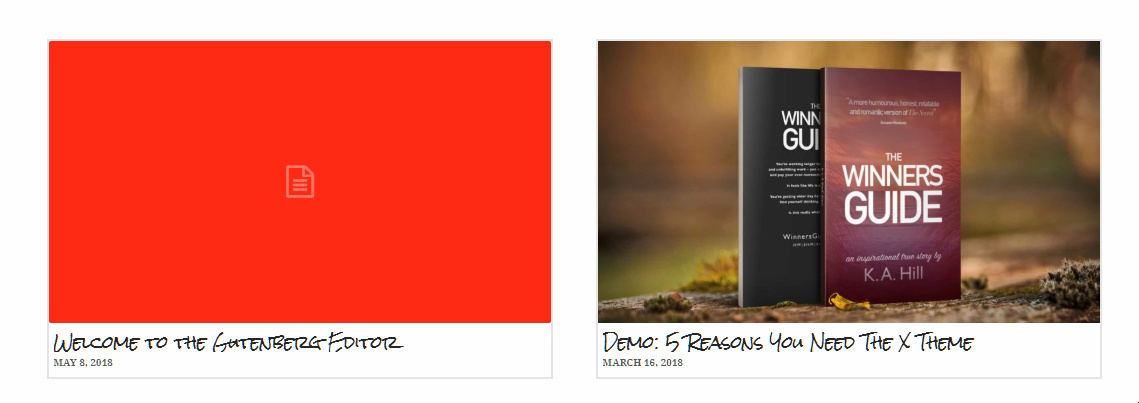
Hope that helps.
I would like the opposite layout and the img resize % is different too
Hi There @MrK
Basically the following CSS rules should get you the similar result as your screenshot.
.x-recent-posts a {
    padding: 0;
}
.x-recent-posts .h-recent-posts {
    text-align: center;
    font-size: 150%;
}
.x-recent-posts .x-recent-posts-date {
    text-align: center;
}
If you’re still having issues, could you please provide us with the URL to your referenced page, so that we can assist you with a possible workaround.
Thanks!
thanks this should work
You’re most welcome!
This topic was automatically closed 10 days after the last reply. New replies are no longer allowed.