Just Manually Updated Pro but no UI Theme option in Preference

Dear Sir/Madam
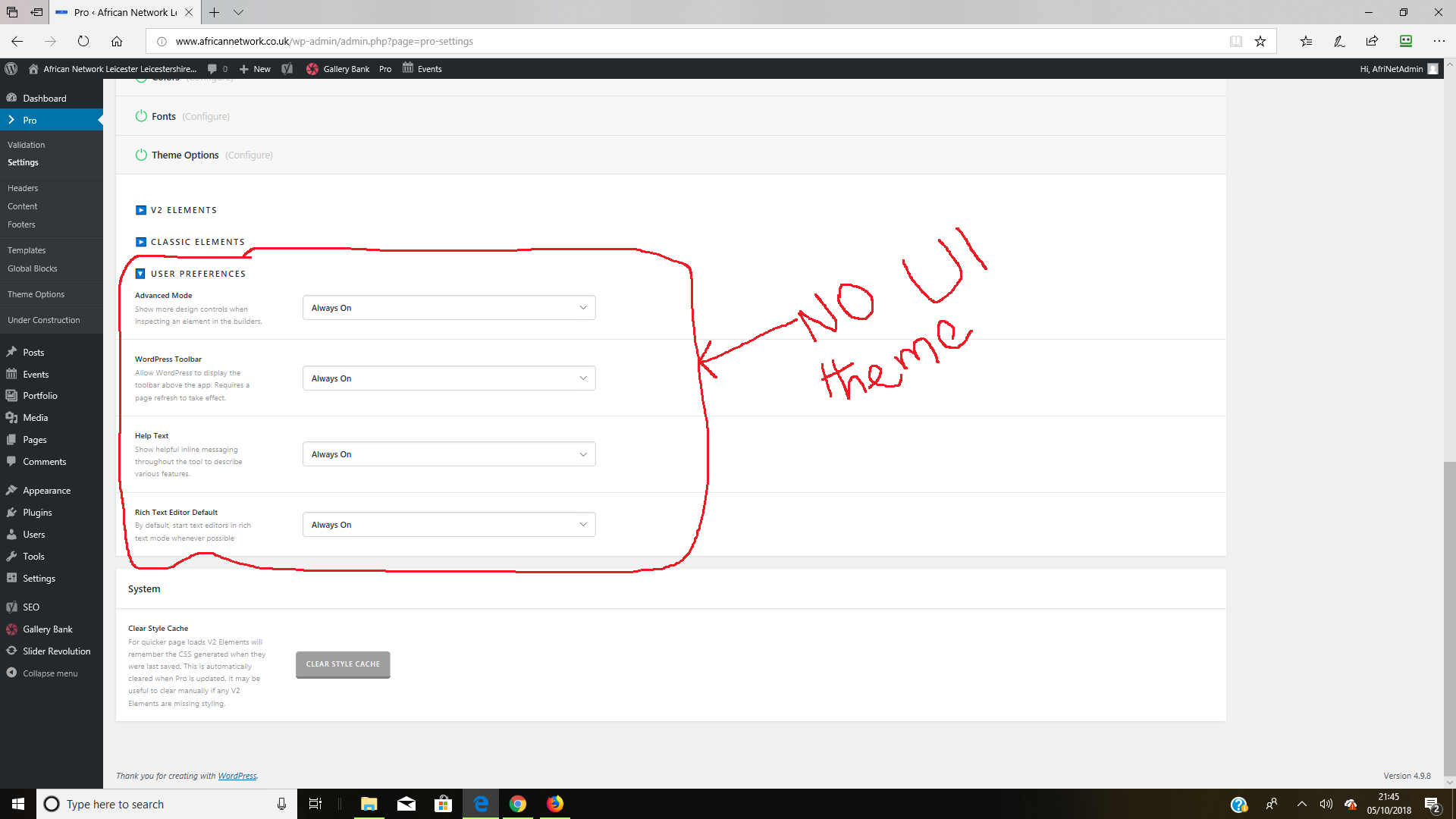
I just manually updated to Pro 2.3.1, I wanted to switch to dark mode in the User Preferences area in setting, however, there is no option available to do so.
Please check screenshot below. I have also tried clearing style cache.

Thanks
Hello @ASIDCam,

Thanks for asking. :slight_smile:

To activate Dark Mode, please walkthrough following steps.

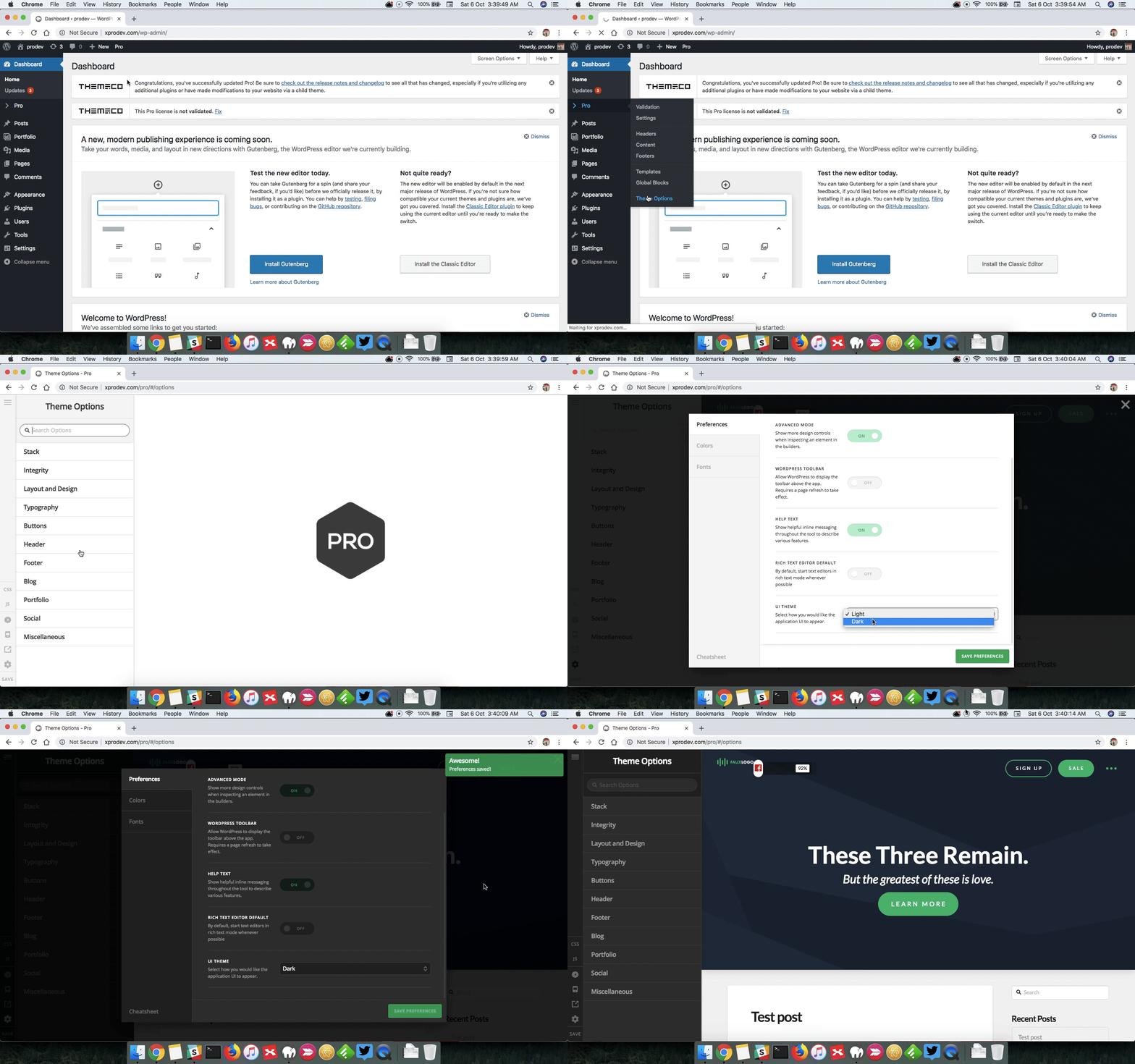
  1. Open Pro > Theme Options.
  2. Click on Setting Cog icon.
  3. Under Preference > UI Theme select Dark.

Here’s a screencast that you can take a look.

However, please note that you to change the theme you can do that within the page. All you need to do is open the page in Content builder and then follow the exact same steps as outlined above.

Thanks.

This topic was automatically closed 10 days after the last reply. New replies are no longer allowed.