Javascript driven content area jumps on load

Hi there. I had some support in the past that helped me create a tabbed section with some javascript you can see on this page: sidi.io (screenshot of section: https://imgur.com/a/rNZgngS

Essentially i have a row with images then when clicked, switch the content below them (the content is in multiple rows)

My issues is that it seams to first load the content, then adjust to the given padding etc. You can see this happen if you test click between the images.

Any idea on how to fix this?

I also notice this jump with parallax images at times where it loads and then resizes.

Thank you in advance

Hi @reform,

Thank you for reaching out to us. Instead of using a custom solution please use the V2 Tabs element to achieve the similar functionality.

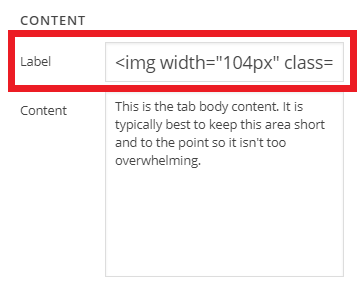
You can replace the tab titles with the images by simply pasting the following HTML in the Tab’s Label field (see screenshot)

<img width="104px" class="x-img logo-hover x-img-none" src="https://sidi.io/wp-content/uploads/2018/12/icon-sidiio-blue.png" alt="Free Estimates">

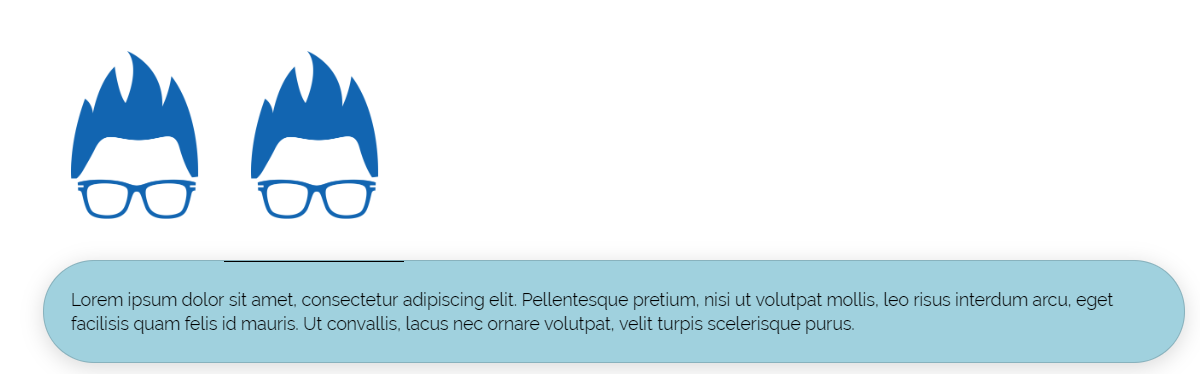
By following the above method you can have a layout like this using the Tabs element:

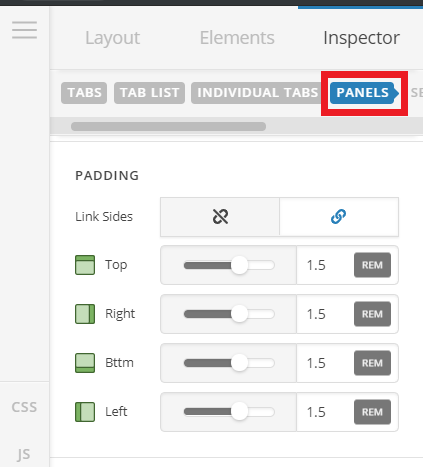
You can make adjustments to the tab panel’s border radius, background or it’s padding by navigating to Panels tab (see screenshot)

Hope this helps!

This topic was automatically closed 10 days after the last reply. New replies are no longer allowed.