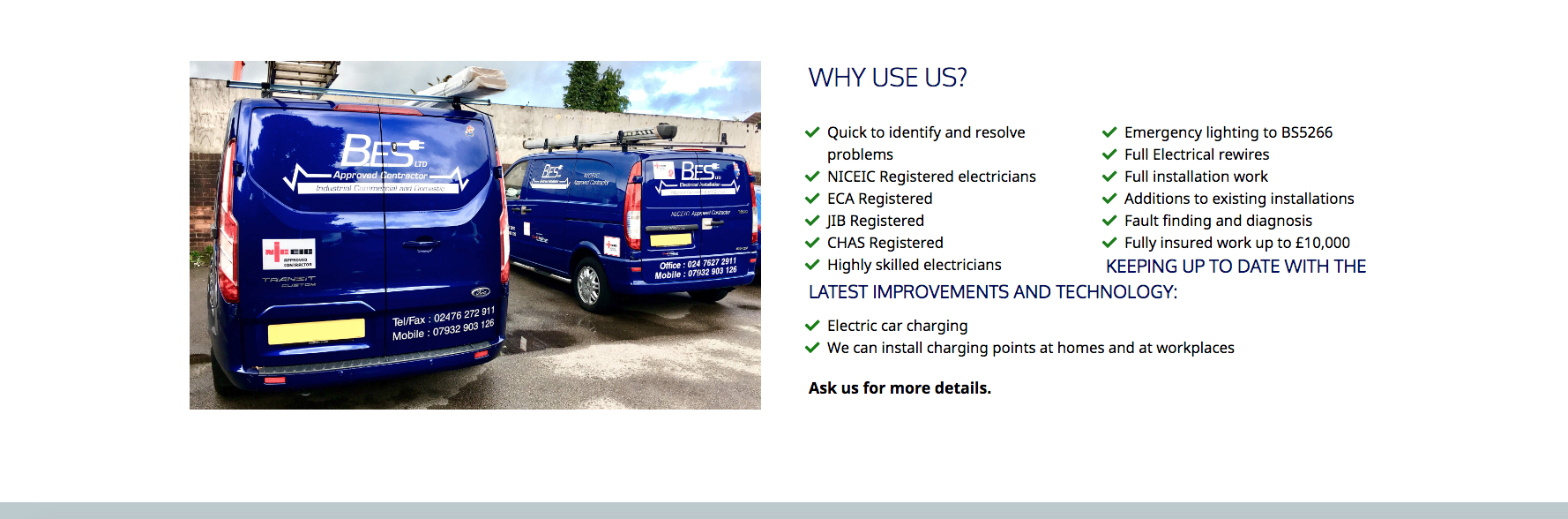
I've used 2 column text to show an icon list but the heading below it is directly under the list without a gap, even though it has padding set to the top of it!

Hi, I’ve got a section with a 2 column row. In the left column is an image and in the right is text. I’m using an icon list and I wanted it to show in 2 columns, so I’ve used 2 column text to do this, but the heading below it ‘Keeping up to date with the latest…’ is directly under the list without a gap so it looks like it’s part of the 2nd column, even though it has padding set to the top of it! I haven’t got a clue how to correct it! The strange thing is, it displays it fine when you view it on a mobile!

Here’s a screen grab to show what the problem is.

I’ll put the URL in a secure note as it’s being built on a temp link.

Thanks!

Hi There @core365

I have tested your referenced section on few different screen sizes including desktop, but I could not replicate such issue.

Could you please try clearing full cache and re-test this issue again. You can refer to the following article on how to clear all sort of caches (https://www.wpbeginner.com/beginners-guide/how-to-clear-your-cache-in-wordpress/).

Thanks!

Hi, I’ve cleared my cache and I’ve also tested in a different browser but I still get the same issue. The screen grab I sent is showing it on a large screen, so it may be showing the way it does for you as it’s on a smaller screen than mine. However, that being said, the padding still isn’t showing above the ‘Keeping up to date…’ headline, as at the minute it doesn’t look like there is any!

Thanks!

Hi,

To fix this, please add gap element before your “Keeping up to date…” headline.

Hope this helps

Hi, I’ve added a gap and I’ve set it at 25px but it hasn’t changed it, there still isn’t a gap above the heading! I have cleared my cache and refreshed the page and it still has the same issue.

Thanks!

Hello @core365,

Thanks for updating the thread. :slight_smile:

Please add class name to the text element under Customize > Setup > Class. After that add following CSS under X > Theme Options > CSS:

.add-class-name{
clear: both;
}

Please make sure to clear cache so that the updated code is used.

Thanks.

Yep, that’s sorted it, thanks!

Thanks for your help!

You’re welcome! :slight_smile:

This topic was automatically closed 10 days after the last reply. New replies are no longer allowed.