Hi,
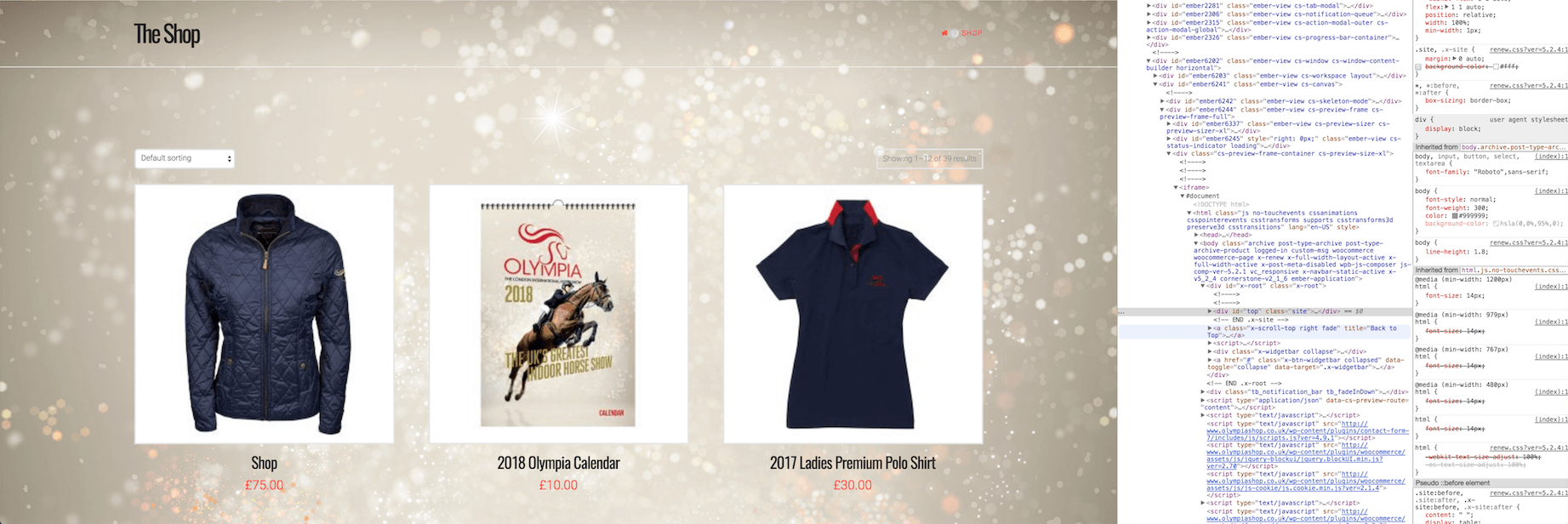
Been trying to implement the image we’re after for the background of our shop. However, the theme is stubbornly defaulting to a white background. Even though, through the inspect tool in Chrome i’ve found the x-site css with no success in changing the css. As well as the body background CSS which visually updates then site when edited through the inspect tool. Saving it, it just defaults back to white again.
Through the customise option, i’ve put my image as the body background and made the background colour transparent. Yet, it still will be defaulting to the white.
Using Woocommerce as the e-commerce plug-in if that’s good information.
Will post coding I am using as well as other images of information which could be of help.
In the image below – I’ve unticked the background-color css to find the background is there and set how I would like it…
www.olympiashop.co.uk – here’s the link if you can see any solution.
Many thanks,