Issues with Blog setup

Hi there,

I’ve set up my website using X theme, Renew stack. It’s a one-page site. Here it is:

Yesterday I tried to add a Blog section to it but feeling totally confused about how to set it up properly.

I created a Page called Blog, added that Page to the top Menu. I have 2 problems:

  1. when I click on “Blog” in the menu, I enter the Blog. Now when I click on the other menu items, they don’t take me back to the home page and the corresponding section.
  2. I read in other messages that by setting up the Blog as a Page in WP, I can no longer edit it using Cornerstone. So my question is: how do I need to set it up in order to still be able to use Cornerstone to edit it?

Thanks for your help!

Joseph
Hi There,

1 - If you are having a one page site with an extra blog page, it means you will have a mixed menu, with on page links and a link that will take to your blog page you will need to create two different menus on Appereance > Menus

The first menu, the one you have already created with relative links :

Custom Link > #example

And another with absolute links http://example.com/#example

This second menu you will assing on Appereance > Menu > as your Main Menu.

Thank you will vist your home page, click edit page, scroll down on WP classic backend editor and select the first menu you have create as your One Page Menu.

That way, one your home page, your links will scroll down to the location and on your blog page the main menu will bring you back to your home page and to the correct section.

2- The blog page on WP is automatically generated so it is not editable with Cornerstone, as this page will automatically feed from your posts. Your posts can be edited with Cornerstone if you need.

Hope it helps

Thank you Jao, my first issue (menu) is solved.

Regarding my second question, since the blog page on WP is automatically generated and not editable with Cornerstone, how do I need to set up so it can be edited in Cornerstone?

Hi There,

The real blog page which you set on WP Admin > Settings > Reading as your latest post page cannot be edited with Cornerstone or any editor.

But you can create a page the does the same job as your blog page.

For that you will go to Wp Admin > X > Install The Grid Plugin,

You will set the grid using Posts as a source and adjust the other parameters in order that the grid looks like you wish.

Once you do that. you can add The Grid Element to a normal page in Cornerstone and use as your blog page.

Hope it helps

Perfect, thanks!

Now I would like to edit the posts with Cornerstone, but I can’t figure out how.

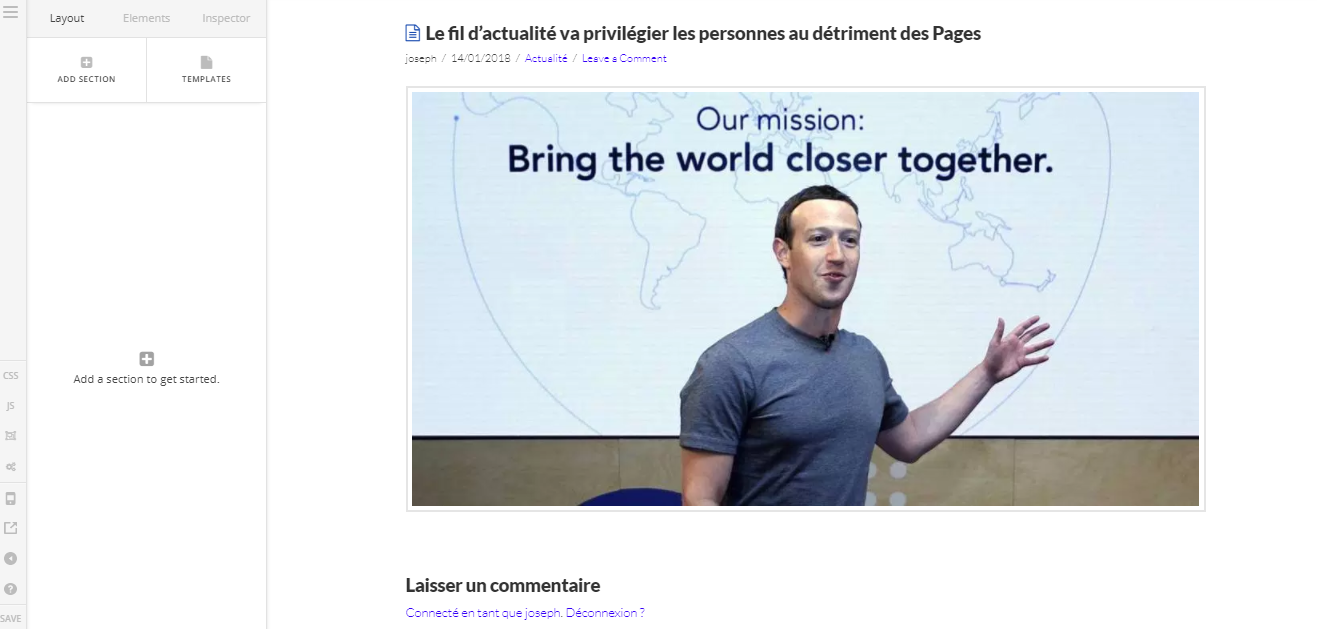
When I select a post and click “Edit with Corenerstone”, it looks like this:

I don’t see the text area…

(here’s the actual blog post: https://neomedia.io/changement-algorithme-facebook-01-2018/)

How can I edit the layout, font size, add a sidebar, etc.?

Hello There,

All the items in your sidebar were added with a widget area. You can manage it in Appearance > Widgets. The font size and other styling is inherited from the global settings in X > Launch > Options > Typography.

For us to check why the post cannot be edited in Cornerstone, please provide us access to your site. And by the way, since you have installed WP Super Cache, please clear the plugin cache and test Cornerstone again. Caching plugins should only active when you are finish with the development of your site.

Hope this helps. Please let us know how it goes.

This topic was automatically closed 10 days after the last reply. New replies are no longer allowed.