Issue with post lay out in front end

Hello guys
I am so sorry to bother you but I have an issue with this post ( I hope only this one)

if you scroll down to the end you will see this
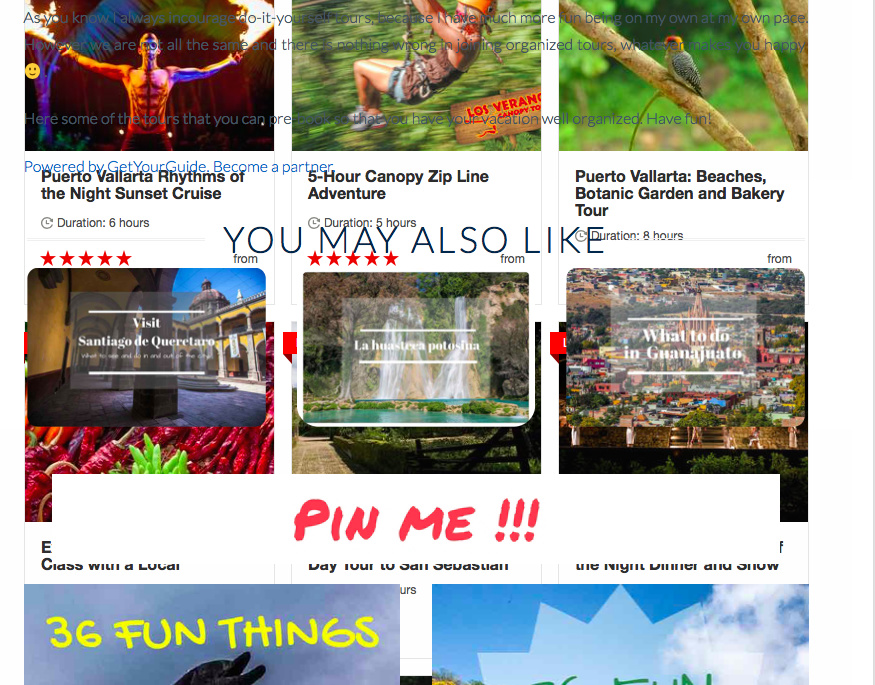
as you can see it’s all overlapping.

but in the back end it was ok.
I will send you details of website to enter.

could you please help?
thanks a lot
cheers
Isabella
Hello Isabella,

Thanks for writing in! This issue is because of the raw code you have added in the page. There is a JS in it that set a height of the div which is making it difficult to control since the script is coming from a 3rd party source. What we can do is to set the height of the container so that it will not overlap with the other elements of the page. Please add the following CSS code in the X > Theme Options > Global CSS (http://prntscr.com/evui3r)

.x-section .x-raw-content > div {
    height: auto !important;
}

Hope this helps. Kindly let us know.

hey there
thanks a lot for your help.
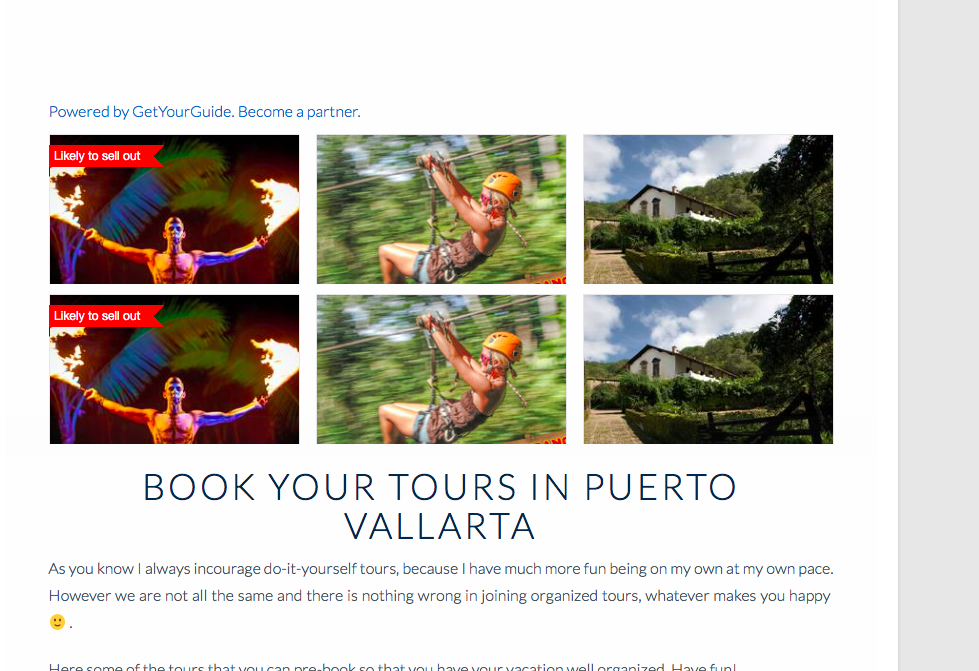
It helped to eliminate the overlapping issue but now the tours are appearing in less quantity than before and double.

is there anything else I can do to salve the issue?
thanks a lot
regards
isabella

Hi Isabella,

Upon checking, I can see that you have added two iframe codes nside your raw content element.

Please remove the other one.

Thanks

Hey there I have still the same issue, no more overlapping but it doesn’t show what it’s supposed to show.
but no worries. I took it out for now and I will see what to do.

thanks a lot. :slight_smile:

Hi @isa1978,

Feel free to let us know how it goes.

Thanks.

This topic was automatically closed 10 days after the last reply. New replies are no longer allowed.