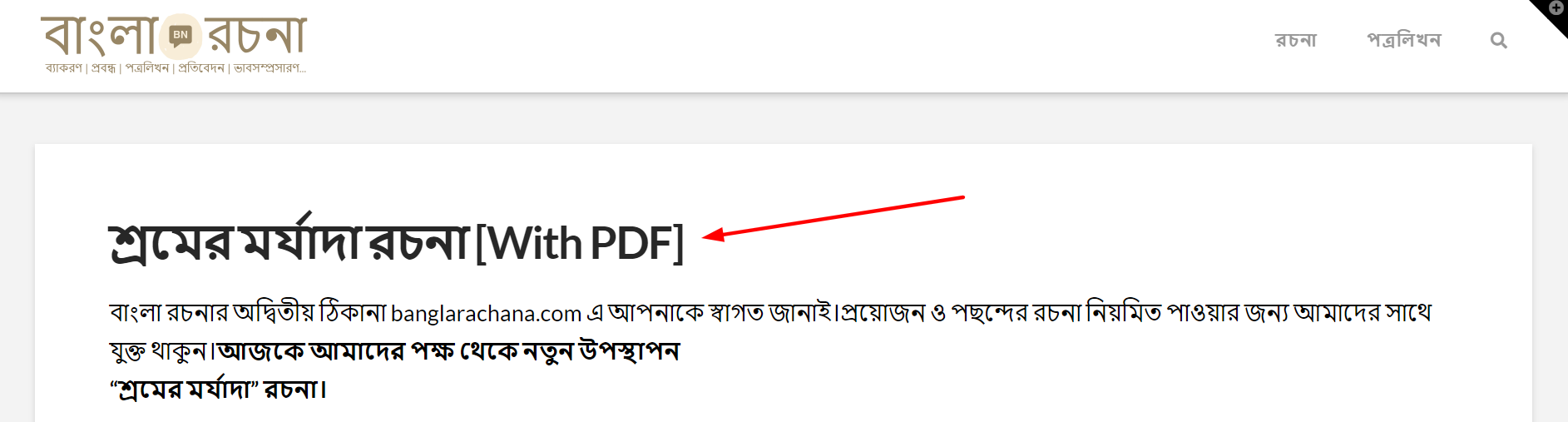
Hello Saswata,
Thanks for writing in! Yes, you can center the post title. You can add the following CSS code in the X > Theme Options > Global CSS (http://prntscr.com/evui3r)
header.entry-header {
    text-align: center;
}
Just to manage your expectations, this isn’t specifically a theme issue, but rather, your customisation of it. So whilst I have happily provided you with some guidance above on how to get it working, we cannot provide theme customisation as a general rule, or support custom code solutions provided. Therefore, you might find it helpful to check out the following:
CSS Selector Reference
How to find the css selector in chrome
Best Regards.
1 Like
Hey @RueNel thanks for the CSS, however, is it possible to separate the background color of the title?
Like this one:

Hi Saswata,
You mean to have that title a separate background-color from the black background? If so, please add this to Theme Options > CSS
.featured-image .caption h1 {
    background-color: red;
}
If not, please clarify what you’re trying to do, and perhaps provide us a direct URL of the page in question.
Thanks,
Sorry, @friech I think you misunderstand my thread, I wanna have that type of look on instead of this.
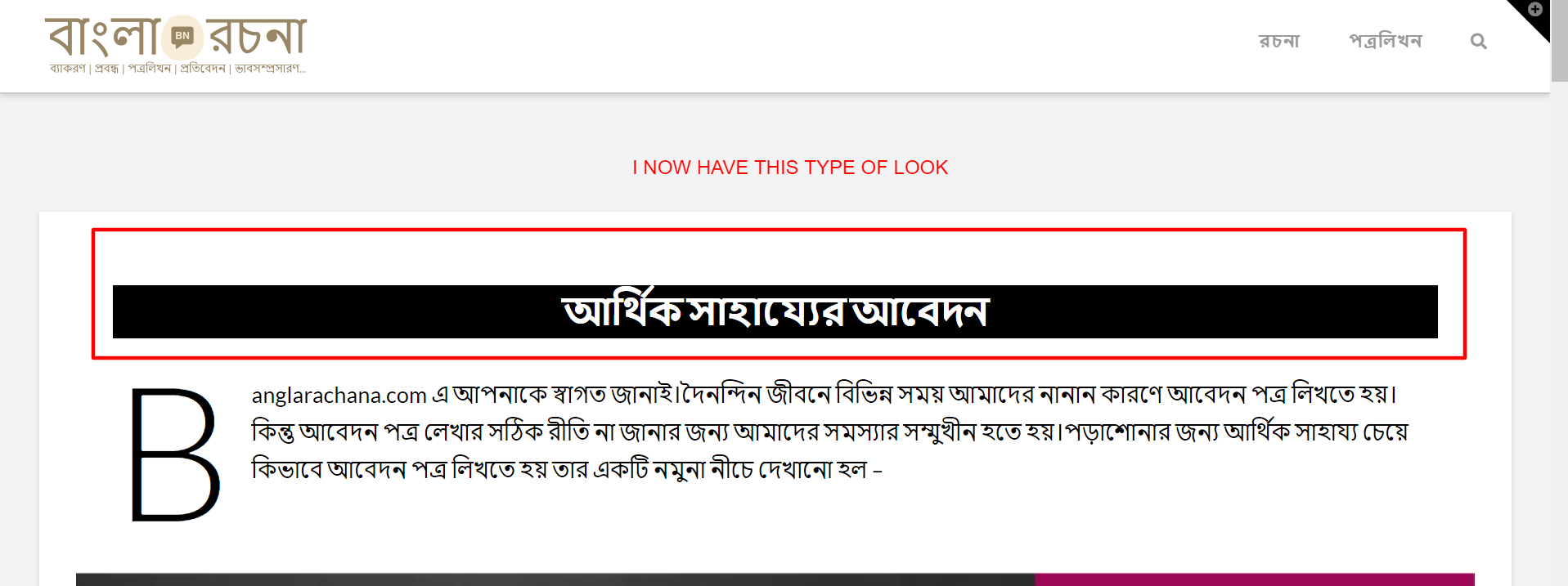
URL: banglarachana.com
Reference URL: learnmechanical.com
Hello Saswata,
Please be aware that learnmechanical.com site is using a modified template. If you can get a copy of the child theme used in learnmechanical.com site, then you maybe able to have the same layout for the banglarachana.com site.
Hope this make sense.
1 Like
This topic was automatically closed 10 days after the last reply. New replies are no longer allowed.