Is it possible to still use plugins when Theme X is deactivated, but key not revoked?

Hi,

I’ve a number of sites with valid Theme-X licenses. I’m rebuilding one of the sites now, and want to start with a more bare starter theme instead of Theme X. I would however like to keep using the ‘The Grid’ plugin that ships with Theme X.

Am I right in assuming that if I don’t revoke the Theme X license key registered to the domain, but just deactivate Theme X in Wordpress, it is then possible to keep using the plugins that come with Theme X?

Cheers!

Hi @mateoserendipia,

Once you deactivate X, you will not get the automatic updates for X and its bundled plugins since X is not the active theme anymore.

Hope this explains it.

Hi,

Thanks, but are you sure about that? I just tried deactiving Theme X (without deleting it!) and activated another theme. And then I did the reverse and activated Theme X back again. Under the ‘X’ option in the menu it still says ‘your site is validated’.

Cheers.

Hi @mateoserendipia,

You’re right in saying that your site is still validated. It doesn’t lose it unless you revoked it, as you’ve already pointed our in your first message.

But what @Jade was referring to was automatic updates of the plugins. That means, if X is not the active theme, when a newer version of the bundled plugins are available (e.g. a new version of The Grid, Essential Grid, Rev Slider), you will not be able to click (nor see) the update now link as shown below:
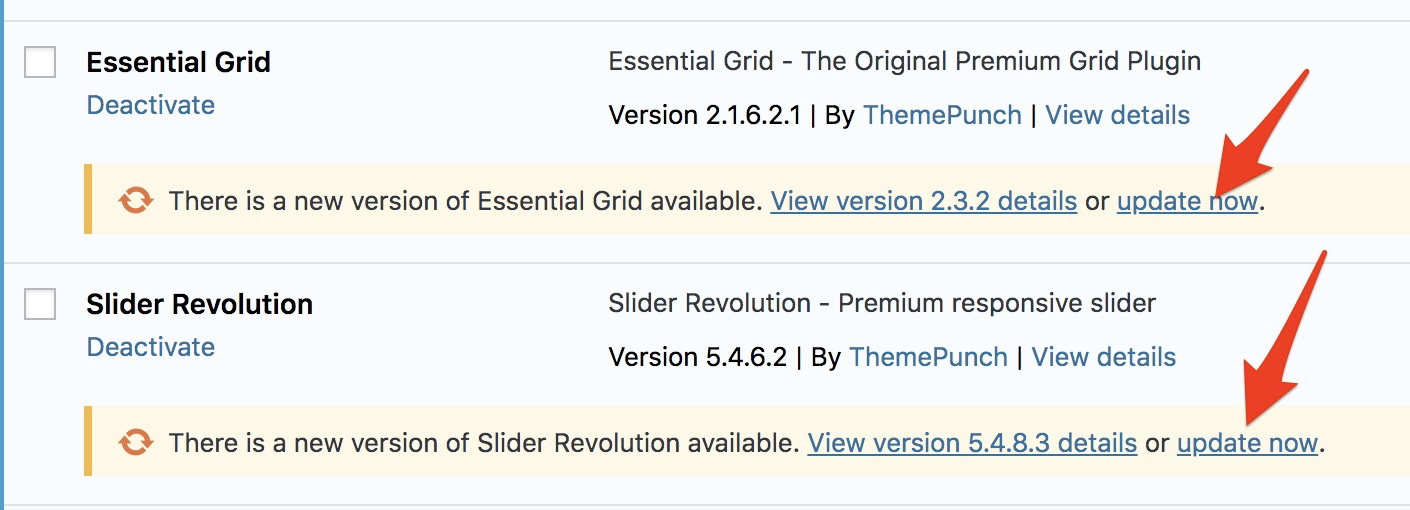
Since it’s important to keep our plugins updated, especially when security updates are available, you might want to be able do these updates at a click of a button.

One trick you can do is, when there’s an available update, you can simply just switch back to X and click the update now button while it is active. After updating, you can go back to your preferred theme.

It’s going to be tricky and time-consuming but it’s the way around it.
I’d also like to add one thing, which seems important.

When X is not active, there will be times (I think it’s more often than not) that you will not see these “available update” notifications even when there are new versions for our Bundled Plugins.

This will render you unaware if there are necessary security updates. So I would suggest, if you haven’t done so yet, that you install plugins that let you know whether critical updates are available. One such plugin is Wordfence. We’re not affiliated with them and cannot guarantee they’ll work every time so consider this as just a friendly recommendation from your Themeco family.

Hi,

Ok, thank you for clarifying and for the tips!

Cheers

Our pleasure…

This topic was automatically closed 10 days after the last reply. New replies are no longer allowed.