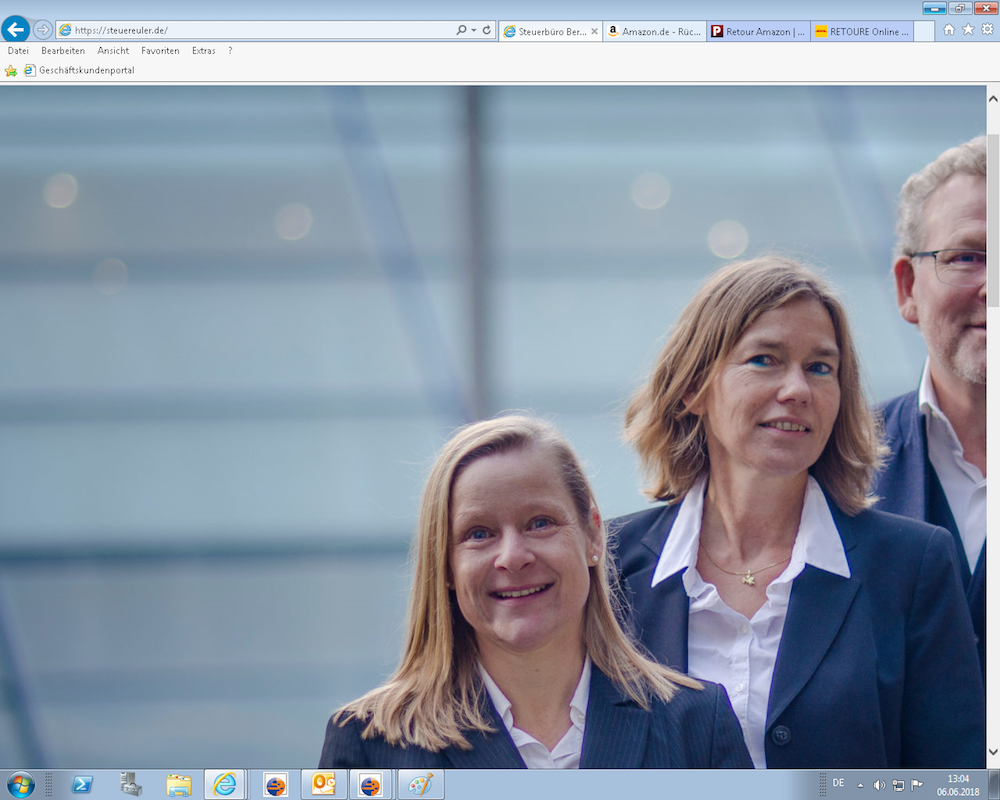
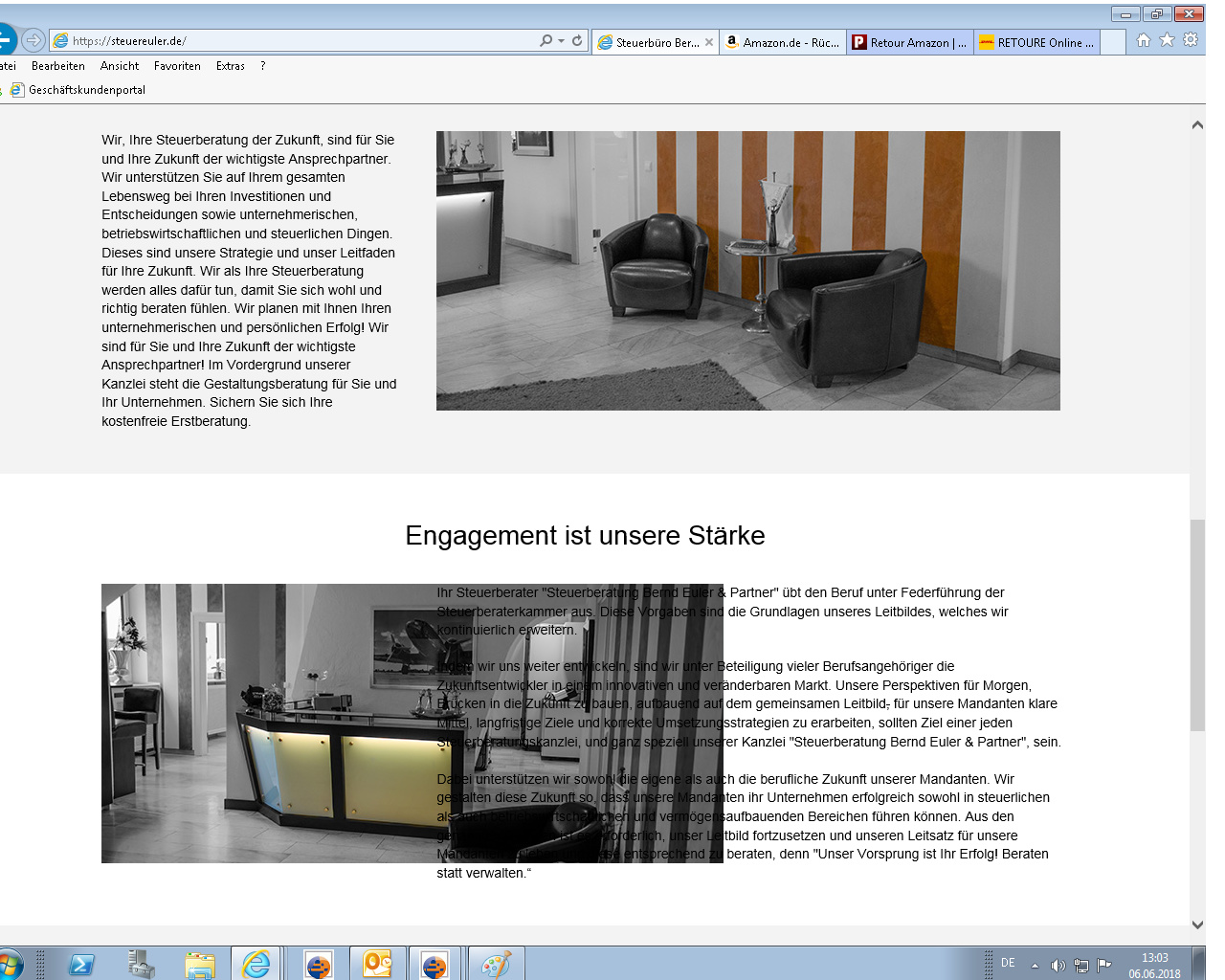
Internet Explorer - Text flowing into picture - Pictures are to big

Hi there,

I made a small page which is looking fine on all my devices (MacBook, iPad, iPhone, Windows 10 with Edge) but now i got the feedback from the customer, that in their office, the text is running in the picture.
They send me a Screenshot and the Browser is the Internet Explorer.
I testet the page on my Windows PC with the IE 11.431 and got the same result.
With Microsoft Edge it looks great.

Domain: www.steuereuler.de

Here are the Screenshots I got from the customer.
What can I do, besides telling that they should use a proper browser?

Thank you in advance!

Benny
Hi there,

Thanks for writing in! To fix the issue, try adding the following code in the Theme Options > CSS:

.no-preserve3d .x-image img {
    width: 100%;
}

Let us know how this goes!

hey @Nabeel,

it worked perfectly!

Thank you!

Why is this happening? Should I now add this to all my domains?

You’re most welcome! It’s IE’s lack or partial support for CSS Preserve 3D https://www.w3schools.com/cssref/css3_pr_transform-style.asp. Yes, you may add them, but only if those issue appears in IE.

Thanks!

Great, thank you!

You’re most welcome!

This topic was automatically closed 10 days after the last reply. New replies are no longer allowed.