Hello this page http://integrityrailproducts.com/eracontact/ is showing up like this: 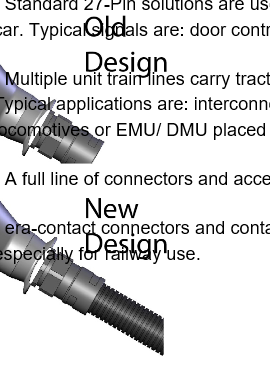
in internet explorer - how can I change it or make it work better in IE? I don’t use IE but a client pointed it out
Hello this page http://integrityrailproducts.com/eracontact/ is showing up like this:
in internet explorer - how can I change it or make it work better in IE? I don’t use IE but a client pointed it out
Hi Daryl,
Thank you for writing in, that is a bug in IE where it does not support the max-width: 100%; we apply on images. With that property, images should respond to its parent div’s width, but it’s not on IE. To fix this issue please add the following custom CSS to Theme Options > CSS
/*image and card fix on IE*/
@media screen and (-ms-high-contrast: active), screen and (-ms-high-contrast: none) {
   .x-face-graphic img,
   .x-image img {
   	width: 100% !important;
   }
}
Remember to clear all your caching features (plugin, server-side, CDN, and browser’s cache) so that the changes will apply immediately.
Hope it helps,
Cheers!
This topic was automatically closed 10 days after the last reply. New replies are no longer allowed.