Internet Explorer: Images too big when width set to auto

Hi there

I’m using a PRO licence for the first time. Now I have a problem with the way images are displayed with Internet Explorer. I created a 3 column layout with an image in each column. The width is set to auto.

In Chrome everything looks just fine, the images fill the column width how it should be. But in the Internet Explorer they seem to be displayed with in original scale (about 1500px width). Do you know how I’m able to fix that problem?

Best, Christian
Hi,

Thanks for writing in! To assist you with this issue, we’ll first need you to provide us with your URL. This is to ensure that we can provide you with a tailored answer to your situation. Once you have provided us with your URL, we will be happy to assist you with everything.

Thank you.

Hi Paul,

Sorry for the late response. The test domain is http://restau84.myhostpoint.ch/

Best, Christian

Hi Christian,

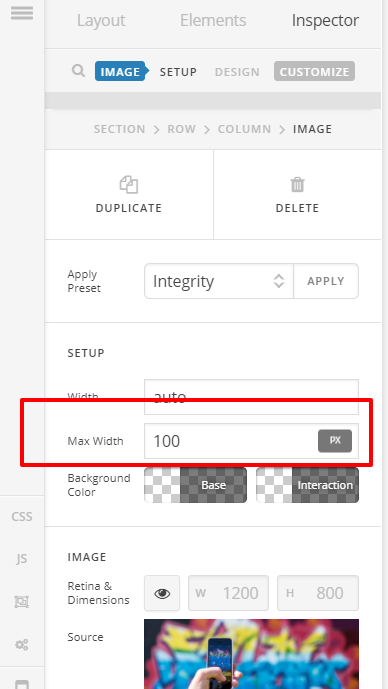
Thank you for the URL. If you want to set width to auto, please add max-width value to stop overflowing.

Hope this helps.