Here’s a bit more interface adventure. My time spent on you for free!
https://cl.ly/41af2670de6a/Screen%20Recording%202019-09-07%20at%2011.13%20AM.mov
and then this bit of … nonsense:
Here’s a bit more interface adventure. My time spent on you for free!
https://cl.ly/41af2670de6a/Screen%20Recording%202019-09-07%20at%2011.13%20AM.mov
and then this bit of … nonsense:
Hello James,
“Name Template” could be a Typo error. I will forward this to our developers.
For the search inline element, please be advised that the search form were consists of the input field, the submit button and the clear button.
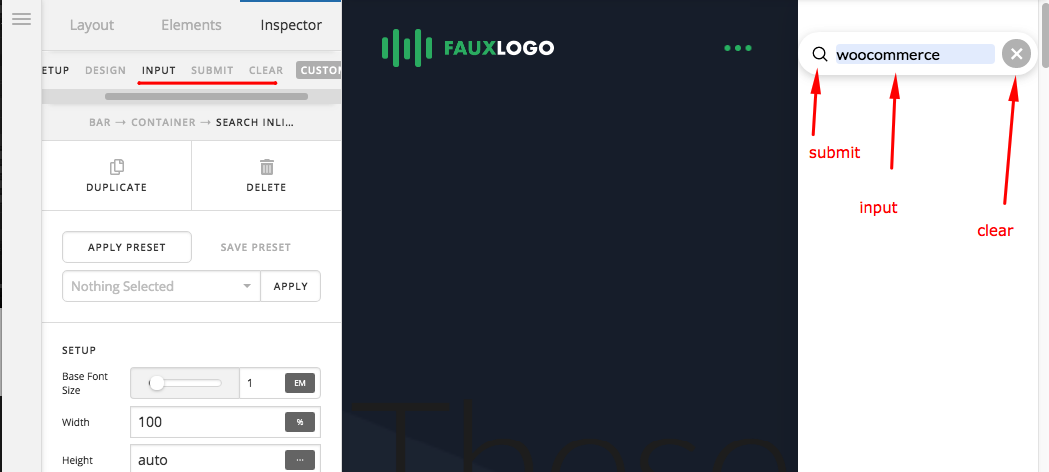
The content option is for the input field placeholder. In the submit button, we used a magnifying glass icon for the submit button in designing the search form. This is also why there is a base color and interaction color because the icon is actually a submit button. The clear button allows you to clear any keyword that you have inserted in the field.
Hope this helps.
This topic was automatically closed 10 days after the last reply. New replies are no longer allowed.