Hey, @alamtfuerwerbung!
Thanks for writing in! You definitely will not need any custom CSS for this effect with Pro as you can adjust the settings out of the box to achieve the desired result. From looking at your CSS on the frontend, I’m going to guess that you need to adjust the navigation’s Align Self option. To get there, inspect the element in the preview and the very first box after the preset section in your workspace should look like this:
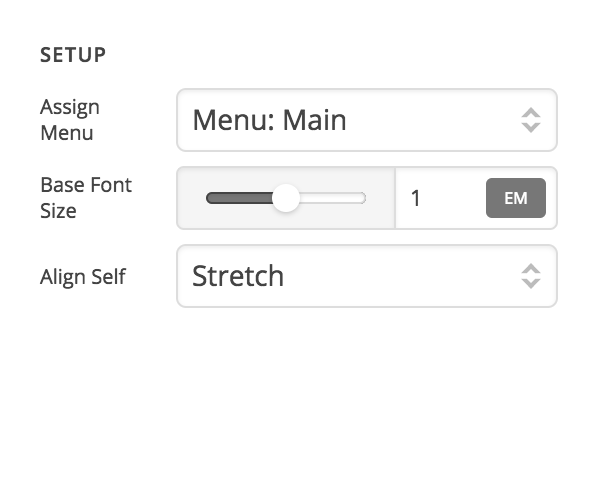
Make sure the Align Self option is set to Stretch as seen in this screenshot (from looking at your CSS on the frontend I am going to assume it’s set to Center currently).
If that doesn’t happen to give you the desired result, you may want to start with one of our presets out of the box, such as Integrity, which has a similar effect with the particle placed at the top of the navigation and stretched to fill the full height of the bar. You can apply that preset by inspecting the navigation like you did previously and finding this very gray preset box:
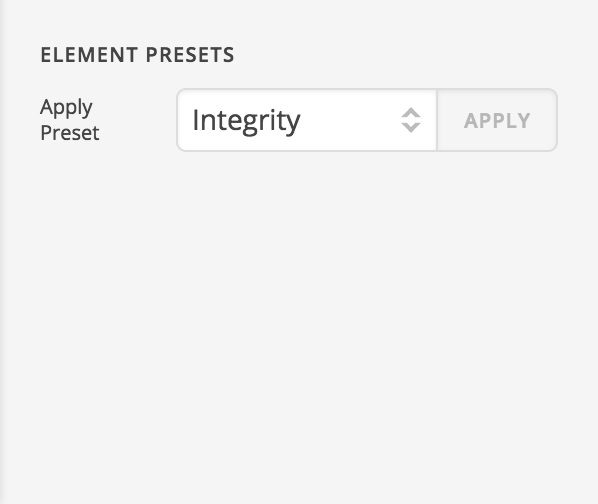
After selecting Integrity, click the Apply button to see the changes take effect. If you do not wish to overwrite the settings you currently have, I would go ahead and make a test header and try it there. After applying the preset you can see exactly how we setup each piece of the navigation to get that particular look.
Cheers!
