Integrating Custom Font into Themeco css

Hi there,

I have seen on other threads that it is not possible to upload a custom theme to the font manager, instead you need to add it into the site css file.

I would like to add in the font Proxima Nova Condensed and was wondering if support could provide the appropriate code and the appropriate location to insert it.

Site: www.wujec.com

Thank you!

HI there,

Proxima Nova Condensed is a variant of the Promixa Nova font that is a licensed font available on Typekit.

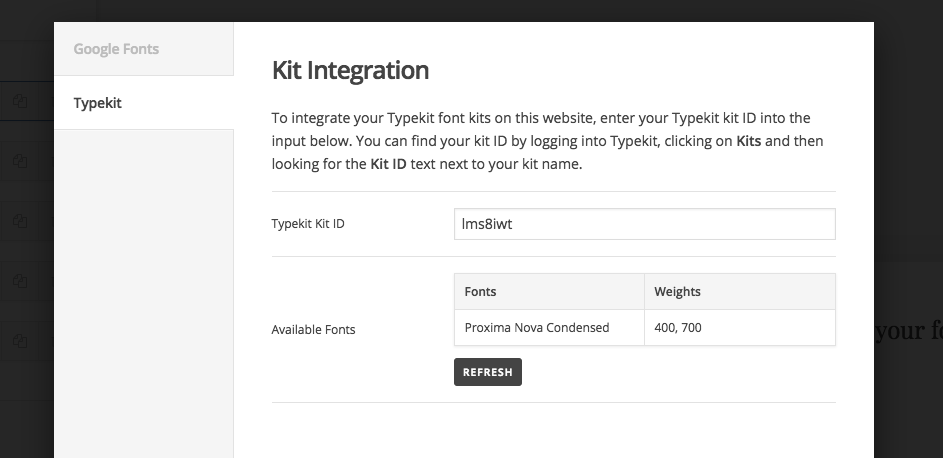
If you have a typekit account, you can simply add it to your kit and indicate the kit ID on the Font Manager so you can use it on the site.

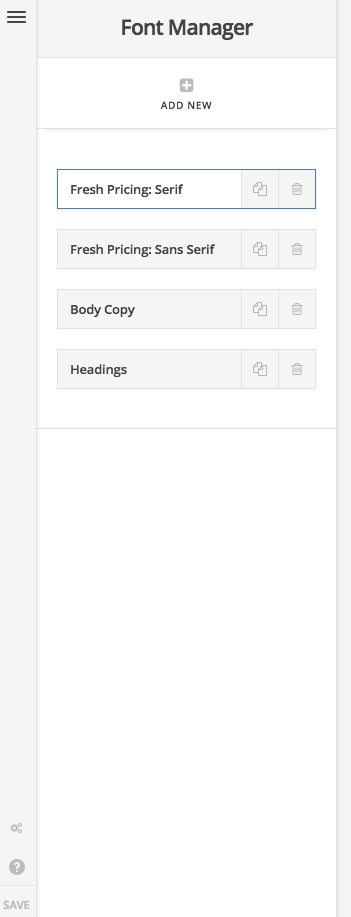
Thanks for the quick response. I do have a typekit account, but I do not see this option in cornerstone (below).

Hi there,

You should be able to see the Typekit option when you click on the gear icon at the bottom left area of the font manager.

Hope this helps.

Ah gotcha, thank you! I’ve now added Proxima typekit option successfully. However, I do not see the font as an option when trying to add a new font within the font manager. How do I now add this font into my site?

Hi tomwujec,
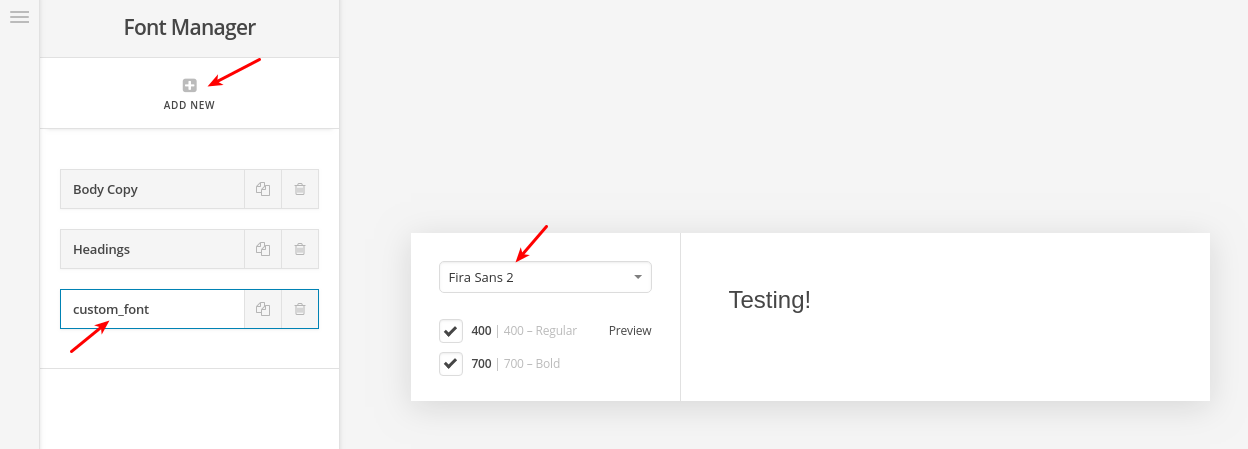
Your next step would be creating a new font in the font manager. Then you can choose the font you have in Typekit as in this screenshot:

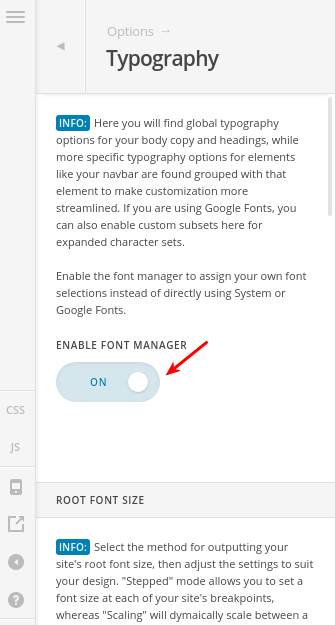
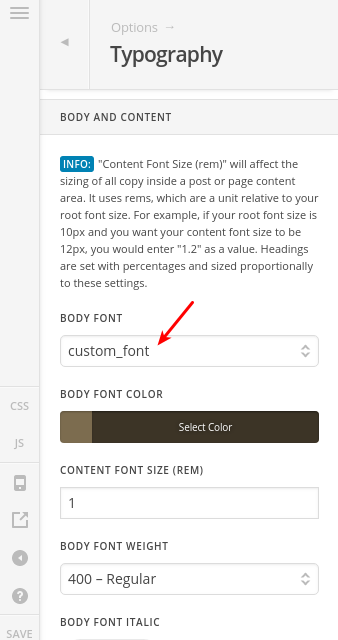
Then go to (X > Theme Options > Typography) and enable “Font Manager” as in this screenshot:

Then you would be able to select your custom font for “Body and Content” or “Headings”, etc…

Thanks.

This topic was automatically closed 10 days after the last reply. New replies are no longer allowed.