Installing and Removing Templates

Hello,
How are you.
I had a couple questions that i’m having trouble finding an answer to and wondering if you guys could help.

1.*
How do I get Header and Footer to appear with Content underneath the drop-down, in top left of the cornerstone menus?

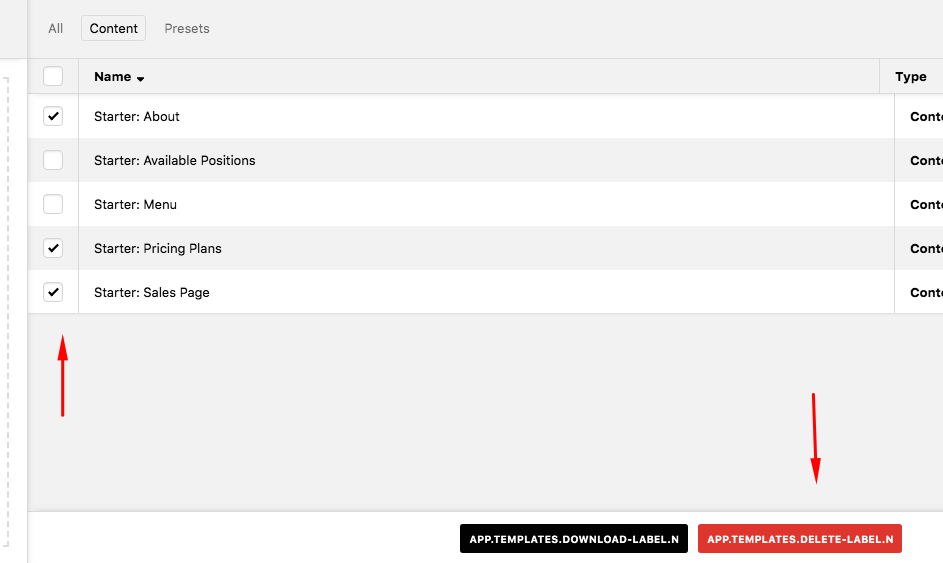
Could you please let me know also how to delete a template that isn’t appearing under the template manager? And all it’s assets? Deleting it manually seems counter-intuitive.

Is the revolution slider still needed for many of these themes? It’s no appearing under the search, has it been replaced with another slider?

Thank you for reading,
Hello Balls,

Thanks for writing in!

1.) The header and footer appears only if you are using Pro. For X theme users, you will only have Content. That is also the same when you go to the Template manager. You will only have Sites, Content and Presets.

2.) Simply select which templates you want to delete.

3.) The Revolution Slider needs to be installed first before it will display in the Elements tab. Please go to X > Validation > Extensions and install the plugin.

Hope this helps.

This topic was automatically closed 10 days after the last reply. New replies are no longer allowed.