Inserting space above text when displaying a category in blog

Question1 about Blog:

  1. How would I get rid of the white bar about the text (#1 in image)
  2. how would I insert some spaces above the search result (after clicking on a category)"Below you’ll find a list of all posts that have been categorized as “file synchronization software” (#2 in image)

Question 2: How to change the background of the buttons listing tags for a post?

Thank you
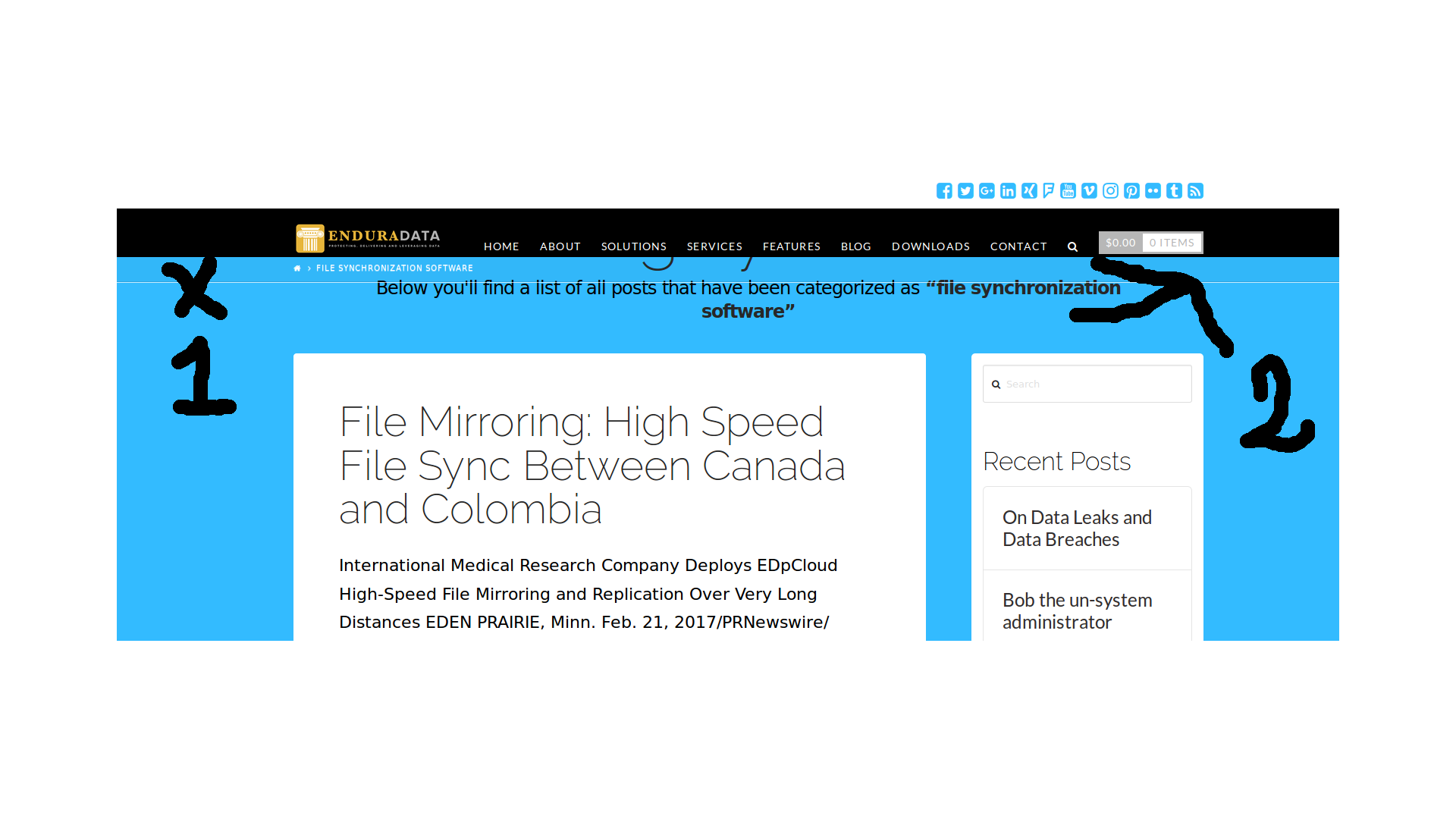
I tried adding this css but I still cannot figure out how to get rid of the white lines:

.x-header-landmark{
margin:60px;
}

.x-header-landmark .h-landmark{
margin:0;
padding-bottom:8px;
letter-spacing:-3px;
line-height:3;
}
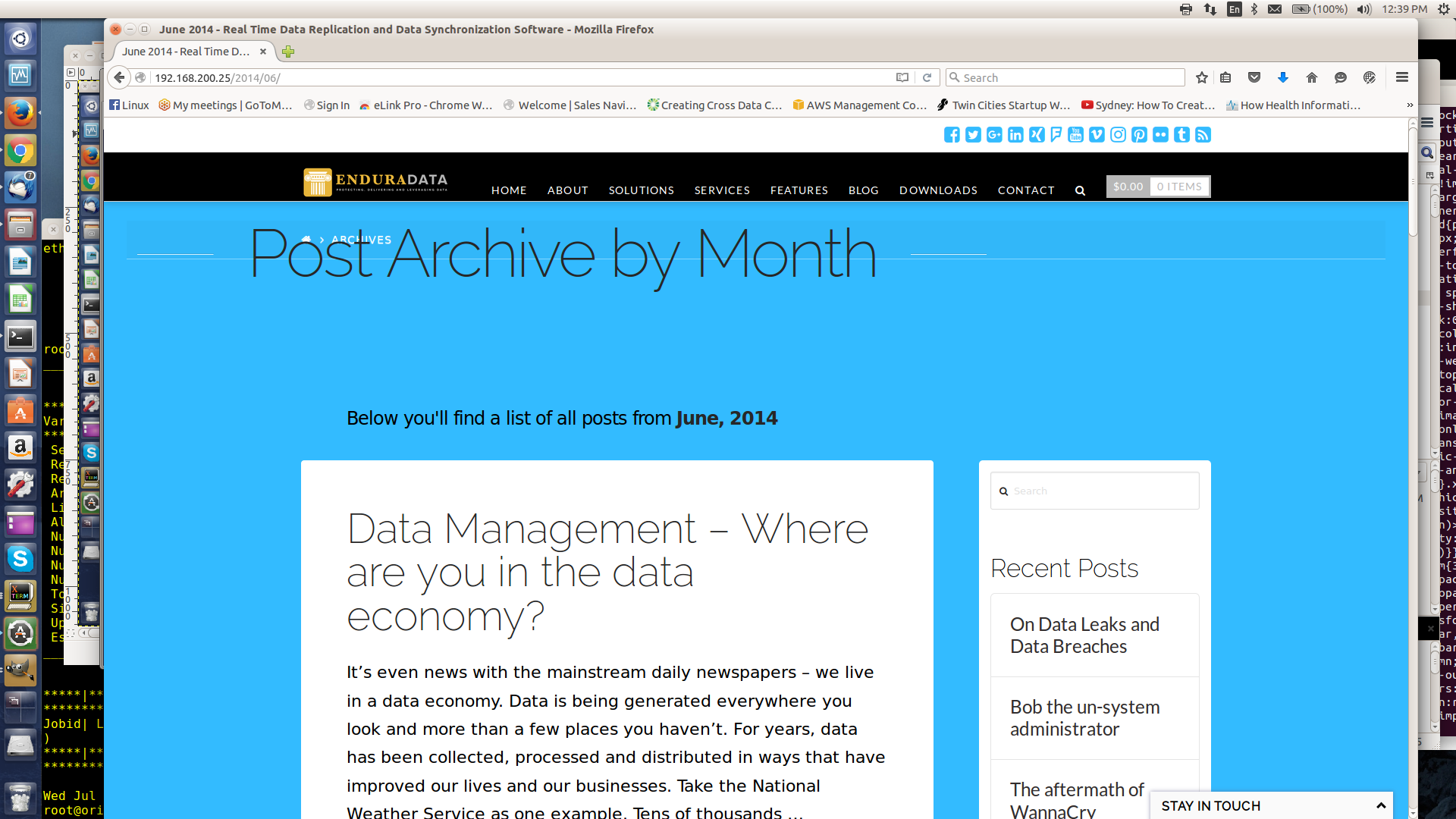
Here is another example: Same problem with category, tags, month listing etc. What I did above did not improve anything. Sorry for changing the post 3 times now :slight_smile:

Any news on this please?

Hi there,

1. Please add this code in the custom CSS:

.x-breadcrumb-wrap {
    border-bottom: 0;
}

2. Would you mind providing the URL of your site so that we can provide you with the custom CSS for this?

Thank you.

Sorry I cannot send the URL. This is on my laptop for now.
I used inspector trying to find where I can disable the two blocks shown or position the archive title relatively to the “breadcrums” short of going to php and adding a few spaces about the h1.

Thanks.

Hi there,

Please try adding this and play with the value until you get your preferred spacing.

.x-masthead {
min-height: 200px;
}

Though, that’s just a guess as I’m not sure what’s causing the issue on your end.

Thanks!

This topic was automatically closed 10 days after the last reply. New replies are no longer allowed.