Inner Container and Marginless Columns margin

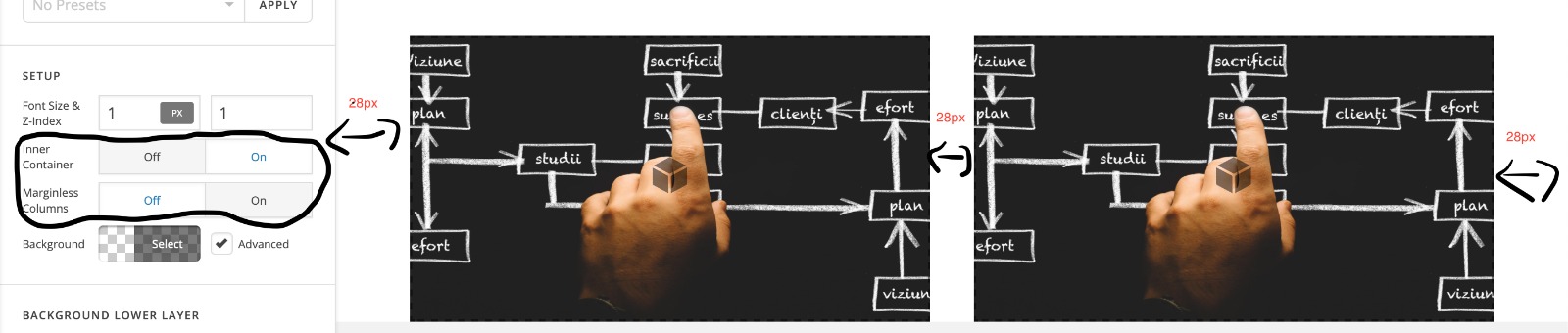
Good Day! I am interested in how can i edit the Margin that the Inner Container and the Marginless Columns add to my columns. I want to add 28 px left, 28 px right and 28 px between the columns so they will look good. I have a print that shows better what I am willing to achieve. Thank you for your time!
Hi There,

If you enable the Marginless Columns option, the margin settings will not apply to the columns anymore.

You can try adding the border-spacing instead. Please follow these steps:

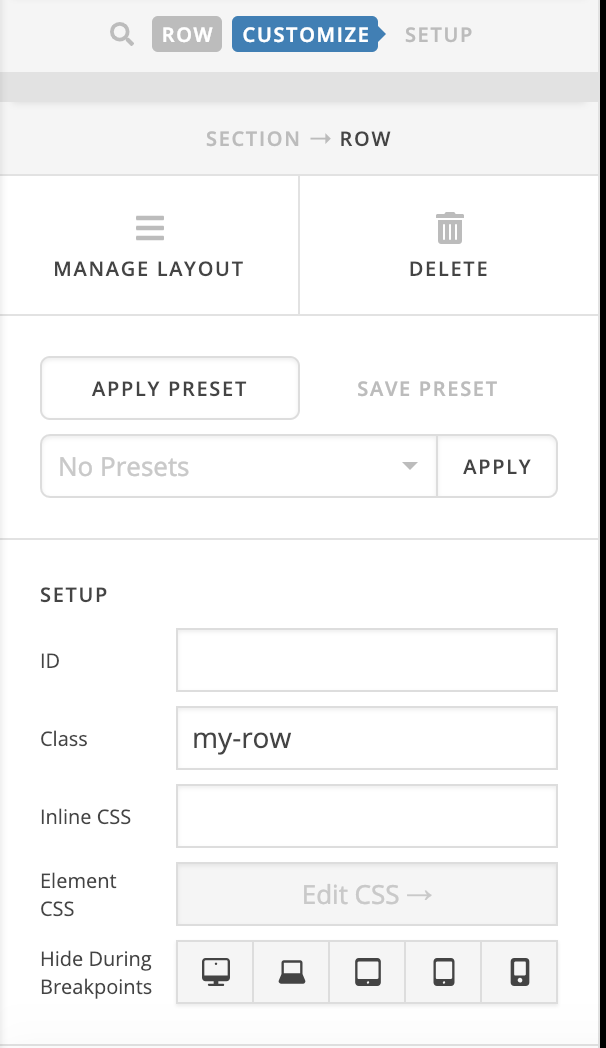
  • Add the my-row class to your row contains the columns:

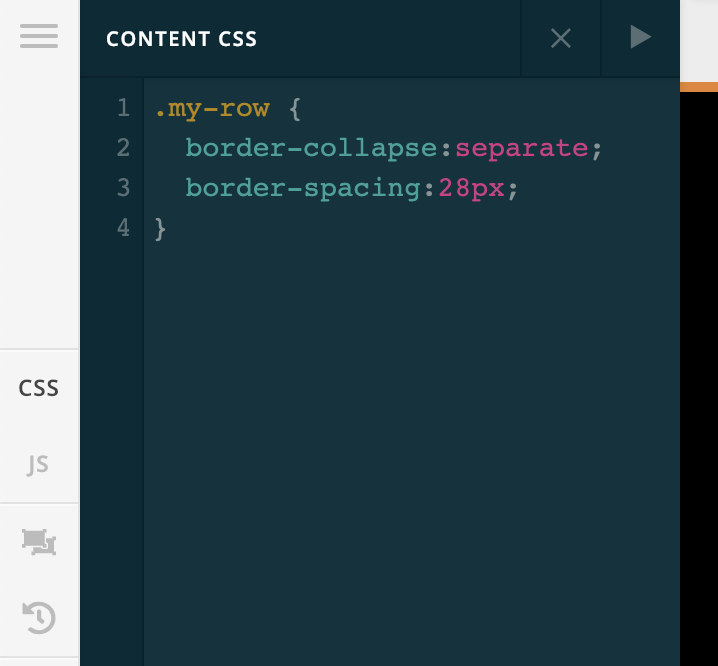
  • Add this custom CSS:
.my-row {
  border-collapse:separate;
  border-spacing:28px;
}

For more information, please take a look at this article:

Hope it helps :slight_smile:

It’s working perfectly. Thank you for your support.

You’re welcome!
Thanks for letting us know that it has worked for you.

This topic was automatically closed 10 days after the last reply. New replies are no longer allowed.