Just trying to increase the padding between each main menu at the top of https://followtheboat.com. I just can’t find the right selector.
I can increase each item separately like this #menu-item-30362 > a {padding-left:20px;}
…but how do I do it for all?
Hi @demonboy,
Thanks for reaching out.
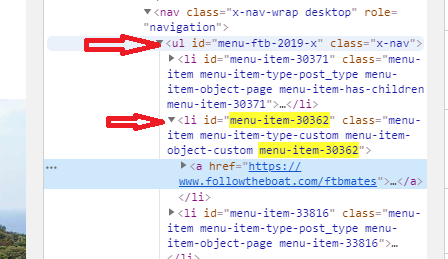
For that, you’ll have to use the selector of parent element that wraps those unique items. Example,
#menu-ftb-2019-x > li > a {padding-left:20px;}
Hope this helps.
This topic was automatically closed 10 days after the last reply. New replies are no longer allowed.