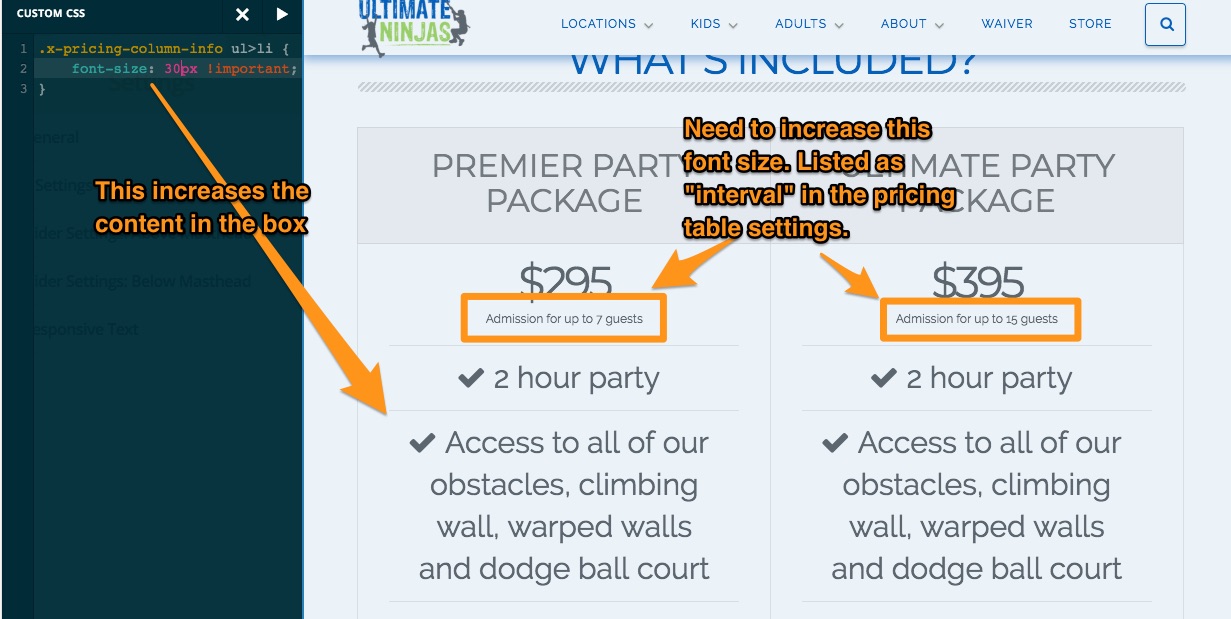
My client wants to increase the font size of the interval section of the pricing table. How do I do that?
Hi there,
Thanks for writing in! Please try adding the following CSS code in the Theme Options > CSS:
.x-pricing-column-info ul>li {
    font-size: 19px !important;
}
Let us know how this goes!
Thanks. Unfortunately that doesn’t work.
Hi There,
Please try with this custom CSS instead:
.x-pricing-column-info span.x-interval {
    font-size: 23px;
}
Hope it helps 
That worked! Thanks!