Image to slide in on scroll

Hi. I visited a website where a large image, maybe half the width of the page, fades in when I scroll down the page to the point where a band occupies the viewport. When I continue to scroll past that band and the next band occupies the viewport, another images slides in from the other side of the screen.

Is there a way to do that with the X-Theme or with Pro? Perhaps with a plugin?

Thank you.
Hello @SwissArmyKnife,

Thanks for writing in!

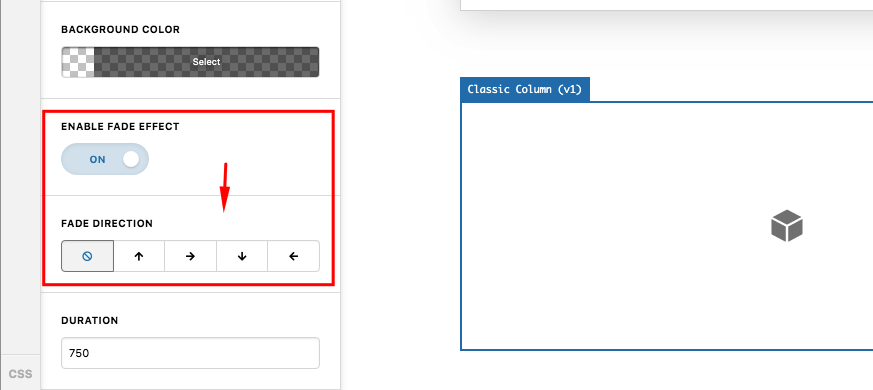
Fade In effect is an available feature if you insert a Classic section, classic row and classic column. You can add elements or images in your column/s and then apply the fadein effect. Once the column is in visible area, the fadein animation is triggered. You can find this option in the classic column settings:

To add a classic section in Cornerstone or Pro Editor, go to the Layouts tab and hover over the “+ Add Section”. Press CMD or Windows key and it will become “+ Add Classic Section”.

Hope this helps.

Thank you. Y’all are the best. I have only one thing to add: in Windows 10, it is the [Ctrl] key that changes “Add Section” to “Add Classic Section”. It worked like a charm.

You’re more than welcome, glad we could help.

Cheers!

This topic was automatically closed 10 days after the last reply. New replies are no longer allowed.