Image Sizing VH

Hi,

I am trying to get an image to fill the viewport using the vh style however min-height:100vh; doesnt appear to work on the element css. I used to be able to do this on the older cornerstone with inline css. Please could you advise on how to do this…

Hi @dan231185,

Thanks for reaching out!

Would you mind sharing your site URL you are currently working on? so that we can check and give .you an idea on how to solve your issue.

Thank you.

Www.xuddle.co.uk/home

Hello @dan231185,

Thanks for sharing the page URL, I went ahead checked your given page URL. it seems that the image is working fine in the larger device but it is reducing the image height in the small screen since you have set the min-height for the section. To get rid of this, you need to set the image in section background and then set the section Padding top and bottom in VW uint and you should remove the custom CSS code as well.

Set background image of the section.
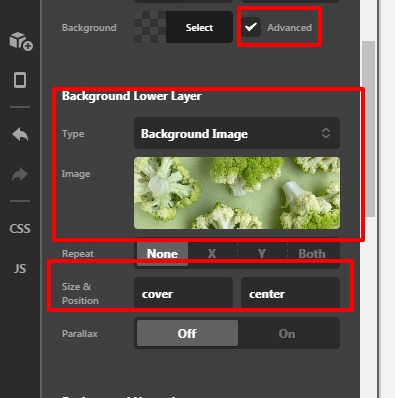
ABOUT-Content-Pro

Set the section padding as per your design.
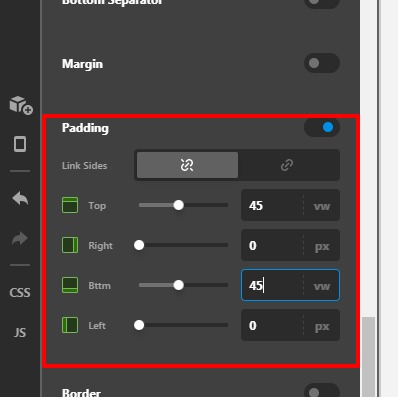
ABOUT-Content-Pro

Hope it helps
Thanks

This topic was automatically closed 10 days after the last reply. New replies are no longer allowed.