Image sizing broken

Hi,

I am having an issue with the image sizing on my website. When I am editing via cornerstone, for max resolution, everything looks good and the image fills up the allocated space as I want it to. However, once I save everything and go to the live site, the resolution of the image is automatically scaled to 742x464 for some reason (the original size is 1280x800).

https://pasteboard.co/Ild9bBt.png - this is how I want it to look (In Cornerstone)

And this is how it actually looks:
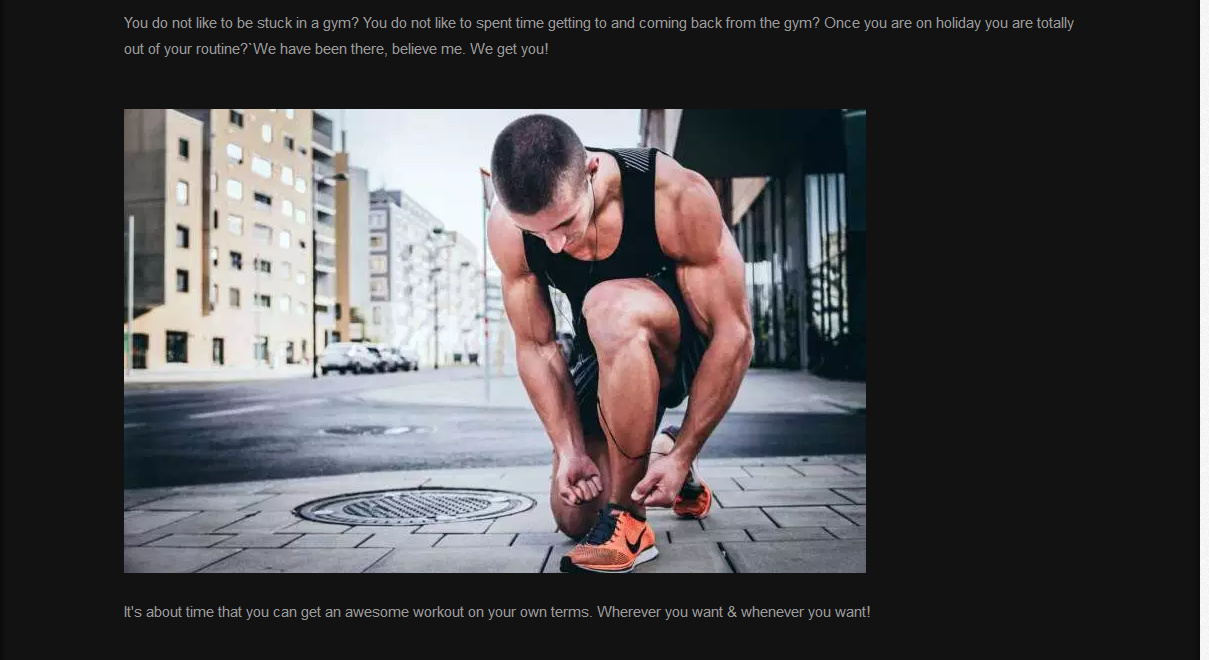
This is true for all pictures that are currently on the website.

What am I doing wrong?

Kind regards,
Julian
I see now that there is a property being set:

data-recalc-sims=“1”

I’m guessing that is the problem, but I have no idea where this property is set.

The website is https://body-wisdom.net/ if you need to take a closer look.

Kind regards,
Julian

Alright,

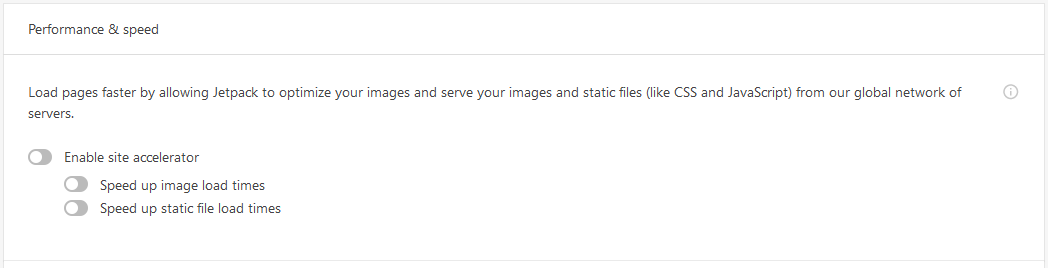
Sorry to loose your time. I managed to resolve the issue. The problem was “Jetpack” and it’s property:

So after disabling this one all is working as expected.

Kind regards,
Julian

Glad to hear that you managed to solve the issue. :slight_smile:

This topic was automatically closed 10 days after the last reply. New replies are no longer allowed.