Image Size Issue in Pro

OK, I am trying to adjust an image size and the controls for this either are not working or are very limited.

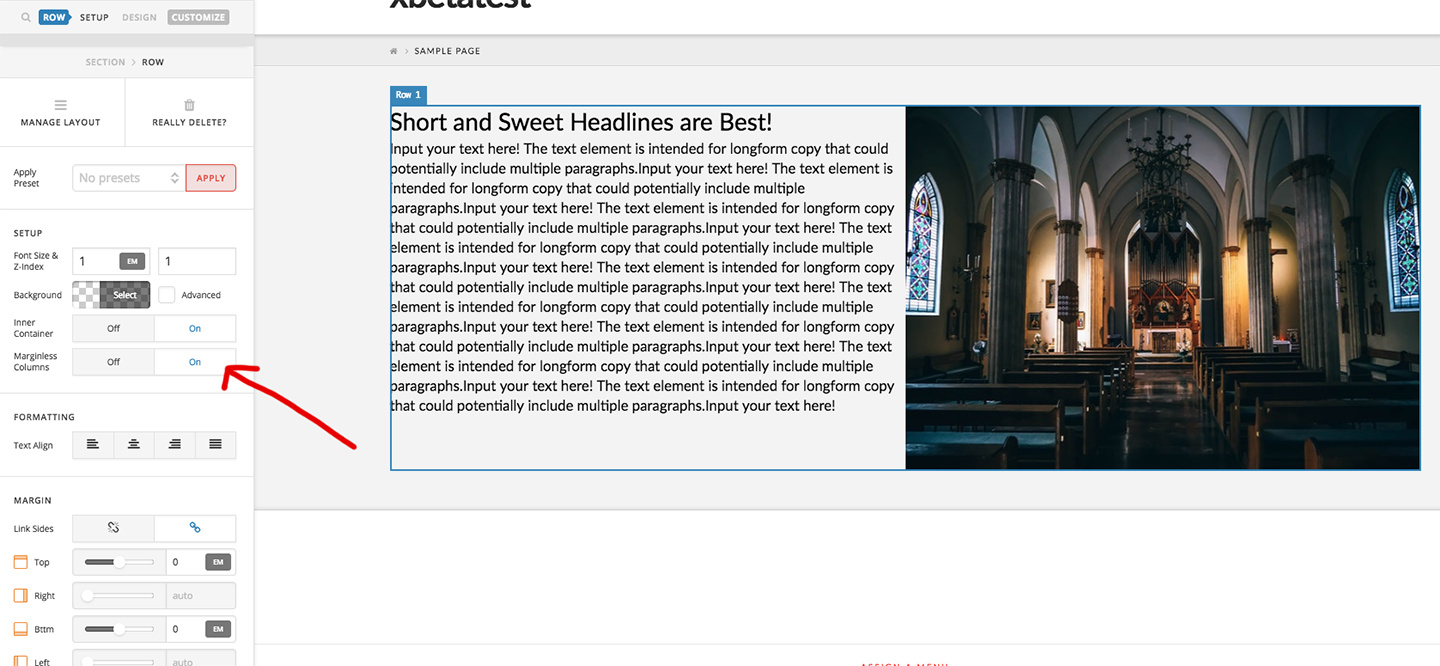
I want the Image in the screenshot below to be larger, having the same padding at the bottom as on the top. Do I simply do this as a background image in the column, or with the Image Element? I tried that but there is no way to adjust the height of the column.

man…this new editor seems so slick at first, but lacking in a LOT of ways. WPBakery is much better and I wish I had used it to build this site… This is the 3rd question I have about using this editor, and these are things I feel should be very simple to accomplish.

Please help!!

Hi There,

Thanks for writing in! and we are really sorry that you are facing issue with the content builder.
Let me help you on the issue you are facing regarding the image.
To make the image same height as the left column you need to make both the column same height so that the image can fit on to it.

To make both the column same height please make the row as marginless column so that the image can adapt the height of the column.
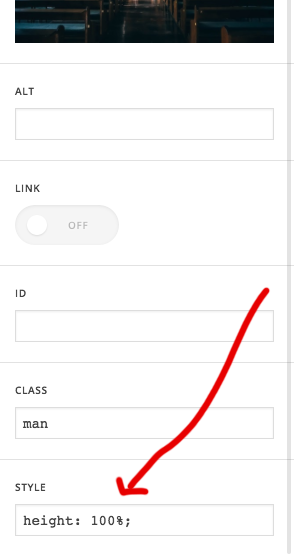
Here I have attached a screenshot, how to make the column same height. Just select the row and make it marginless column and add height:100%; in the custom style of the image.

if that doesn’t help please send us your login details in a secure note so that we can help you on this.

Thanks

Got it!!! Thank you!

You’re welcome :slight_smile:

This topic was automatically closed 10 days after the last reply. New replies are no longer allowed.