Image problems

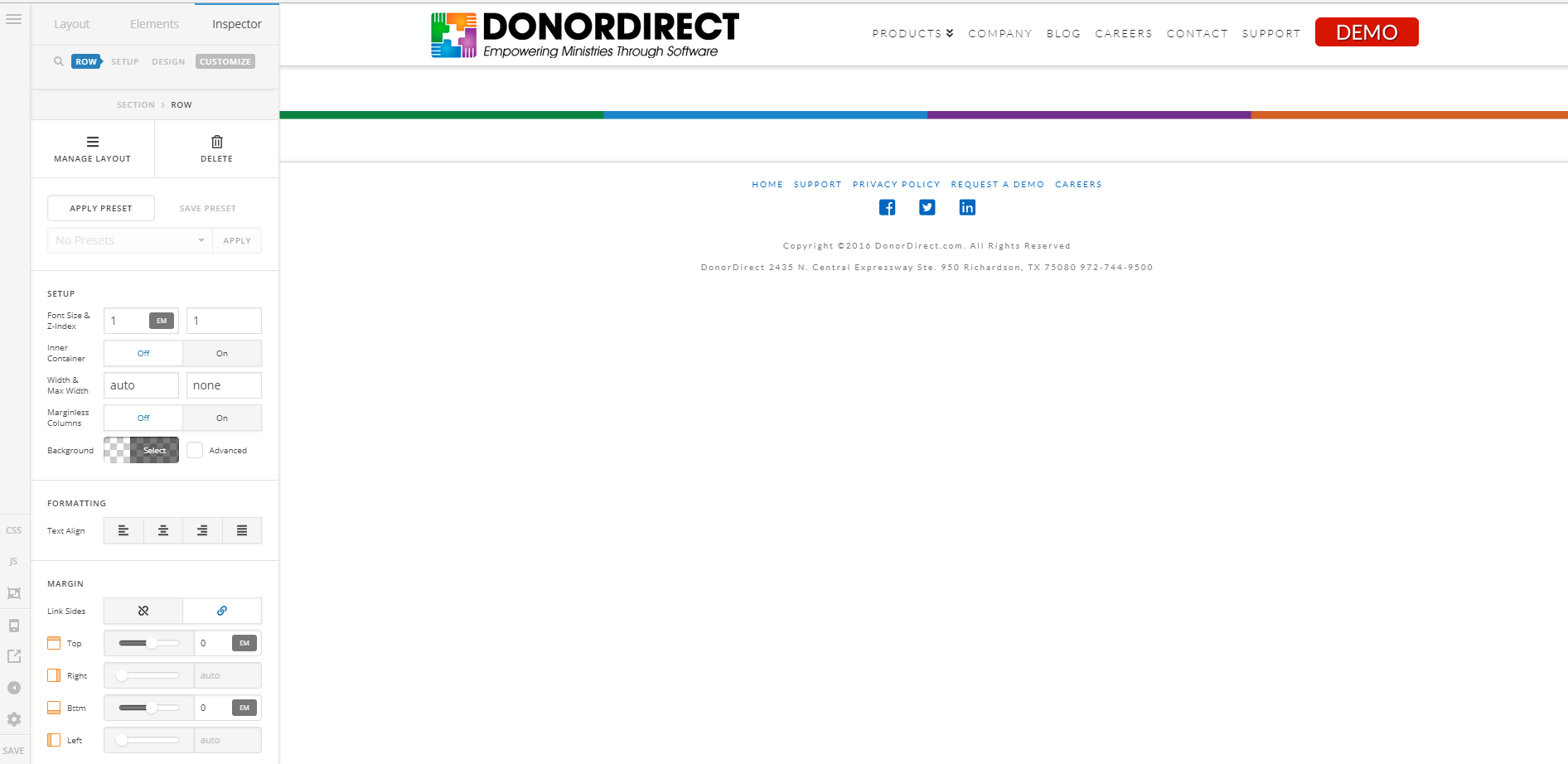
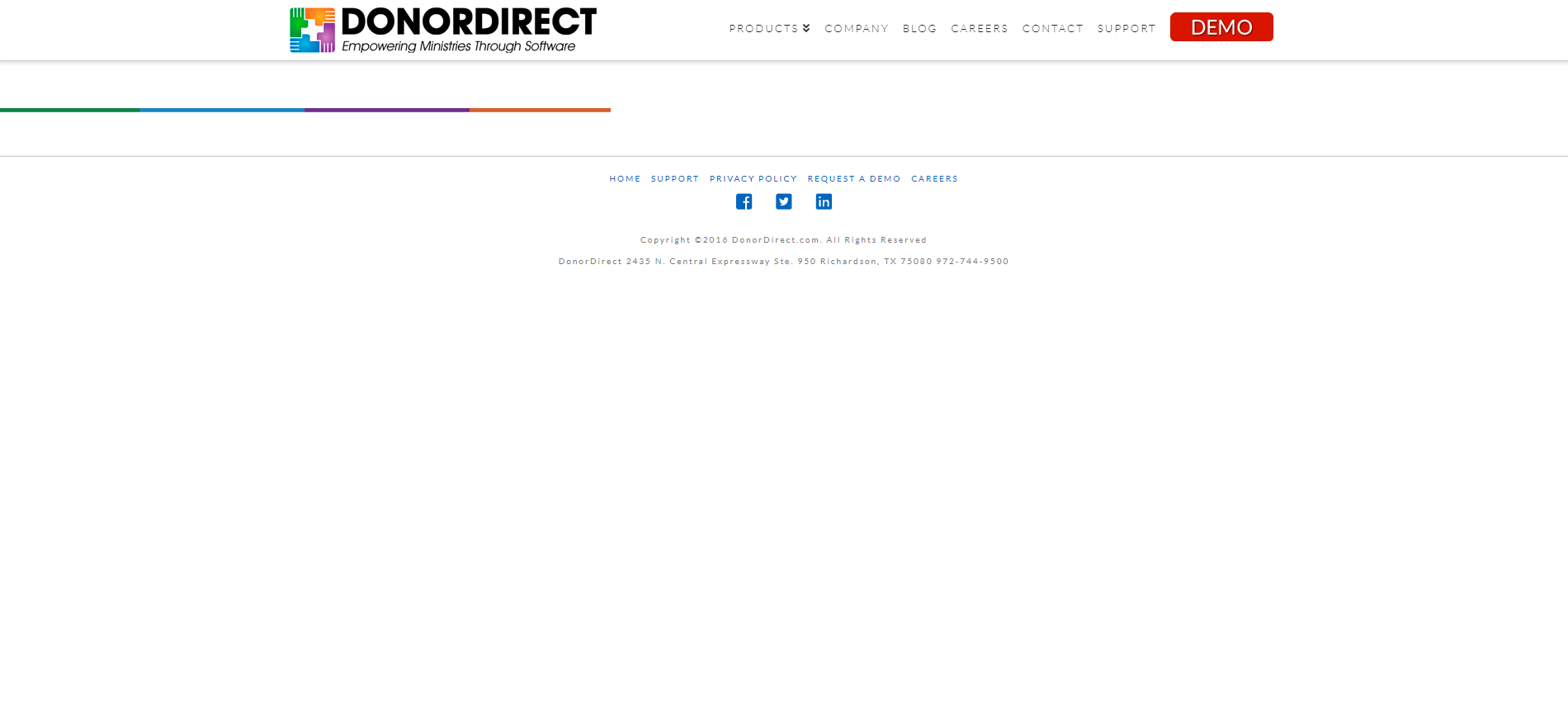
I’m having an issue with an image not showing up correctly. In the pro builder it works 100% fine, but when I look at the page it’s only half the width it should be. I’ve updated to the current version and everything looks fine on the stage site I have set up which is also completely up to date.

I imported the template form my stage site so when that wasn’t working I created a new page to test out the image problem and I was still having the issue. See attached images.

In pro:
On actual page:
Stage site for comparison http://stg.donordirect.com/
the color bar is under the header image and further down the page. Both instances of it on the production site are not working. Also, I’ve cleared the cache and all that stuff.

Hi There,

Thank you for writing in and for the credentials but that account has only limited access I can not view the page in the Builder with it.

In the meantime, please do the following:

  • Clear all the site caches (plugin, server-side, CDN, and browser’s cache) so that the code from the latest release is always in use. This will help you to avoid any potential errors. While you’re at it, please deactivate this caching feature while we tackle this issue.
  • Test for a plugin conflict. You can do this by deactivating all third party plugins, and seeing if the problem remains. If it’s fixed, you’ll know a plugin caused the problem, and you can narrow down which one by reactivating them one at a time.
  • Reupload your image directly into Media > Library

Cheers!

This topic was automatically closed 10 days after the last reply. New replies are no longer allowed.