Image / Page Search

Is there any way to enable the search function to locate images?

What I’d like, is for the search on this page to find the testing image associated with the LOT NUMBER they type into the search.

Page with the search: https://vitalitycbd.com/cbd-purity-testing/

Example of Image I’d like it to find and pull up after typing in the LOT NUMBER: https://vitalitycbd.com/wp-content/uploads/2018/09/CBD-Oil-500MG-Testing-Lot-30803.jpg
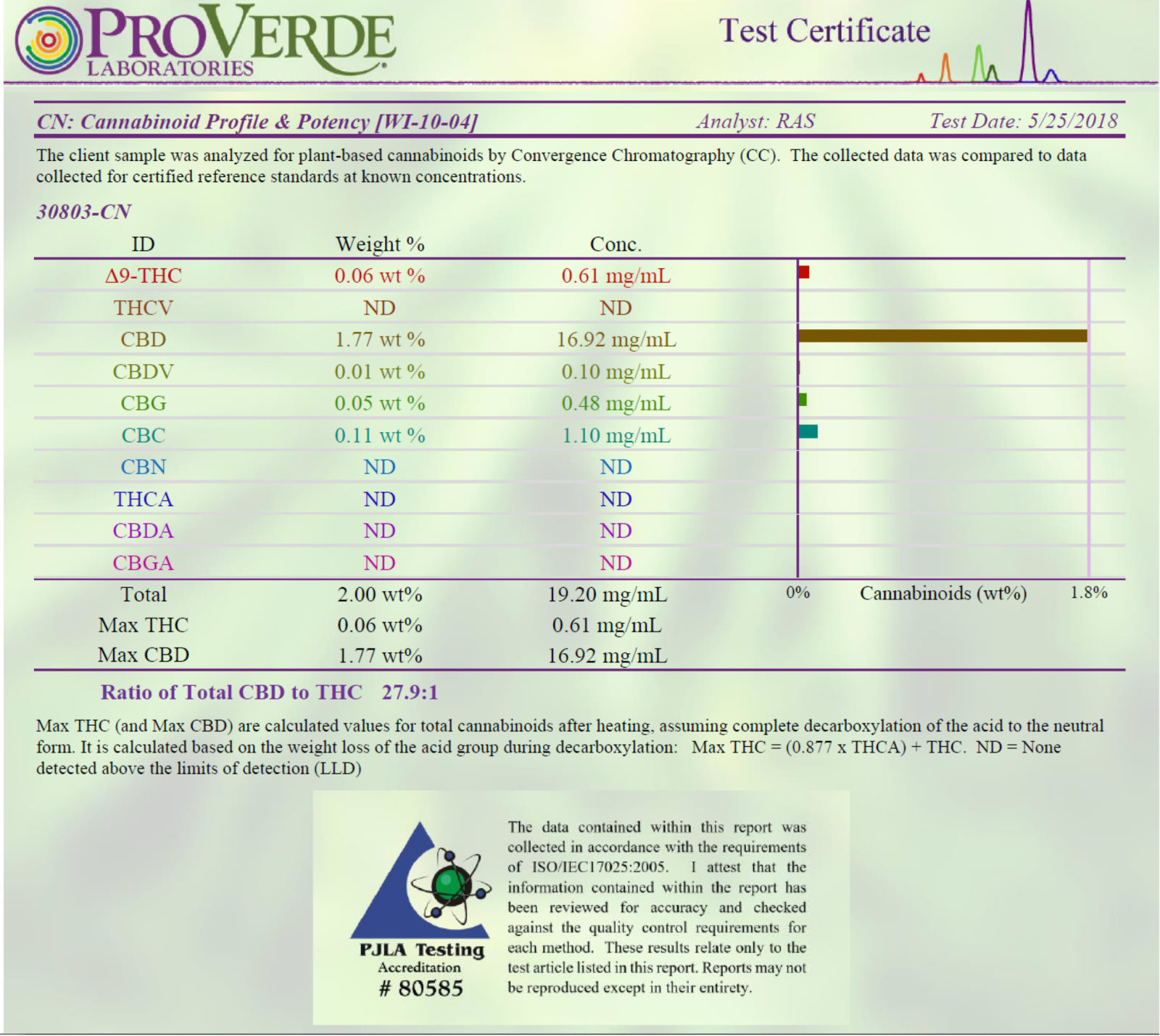
If i changed all the testing images to be named ONLY for the lot number, i.e. file name is 30803.jpg, is there a way to make the search automatically go to a page like https://vitalitycbd.com/30803?

Basically, i want the search to take them straight to that testing report and only that testing report. If i have to make all separate pages that aren’t linked to any menus or nav that’s fine.

So simply put, can the search be coded in such a way to append whatever a person types in to the end of https://vitalitycbd.com/ to take them a specific page like https://vitalitycbd.com/30803, bypassing generic search results?

Hello Jesse,

It’s good to hear from you. By default the search will look for post and pages in your site. It does not have any feature that find any images. You might need to find a 3rd party plugin that does what you have in mind. Perhaps this could help:

Thank you for your understanding.

Honestly i already tried that. I have no idea how that extension works - neither the regular gallery extension nor its advanced search one. I can’t even figure out how to add a next gen gallery to a page much less how to add the search that looks up images in the gallery,

Hello Jesse,

Regretfully, this particular customization request is outside the scope of our support as this is not related to an issue with the theme and instead has to do with your customization of it. As such, you will need to investigate this particular issue on your own or seek help from a developer should you not feel comfortable making these changes yourself. If you have any further questions about the theme, we are more than happy to provide you with assistance on these inquiries.

Perhaps this links might help you:

Thank you for your understanding.

I’ve read a bunch of themeco threads on Inserting a NextGen gallery using shortcode in a text but no one seems to be able to get it to work. I don’t think it’s compatible with cornerstone.

Hi,

You can try adding the shortcode in raw content element.

I had one user who were able to make it work by adding it in Raw content element.

Thanks

This topic was automatically closed 10 days after the last reply. New replies are no longer allowed.