Hello,
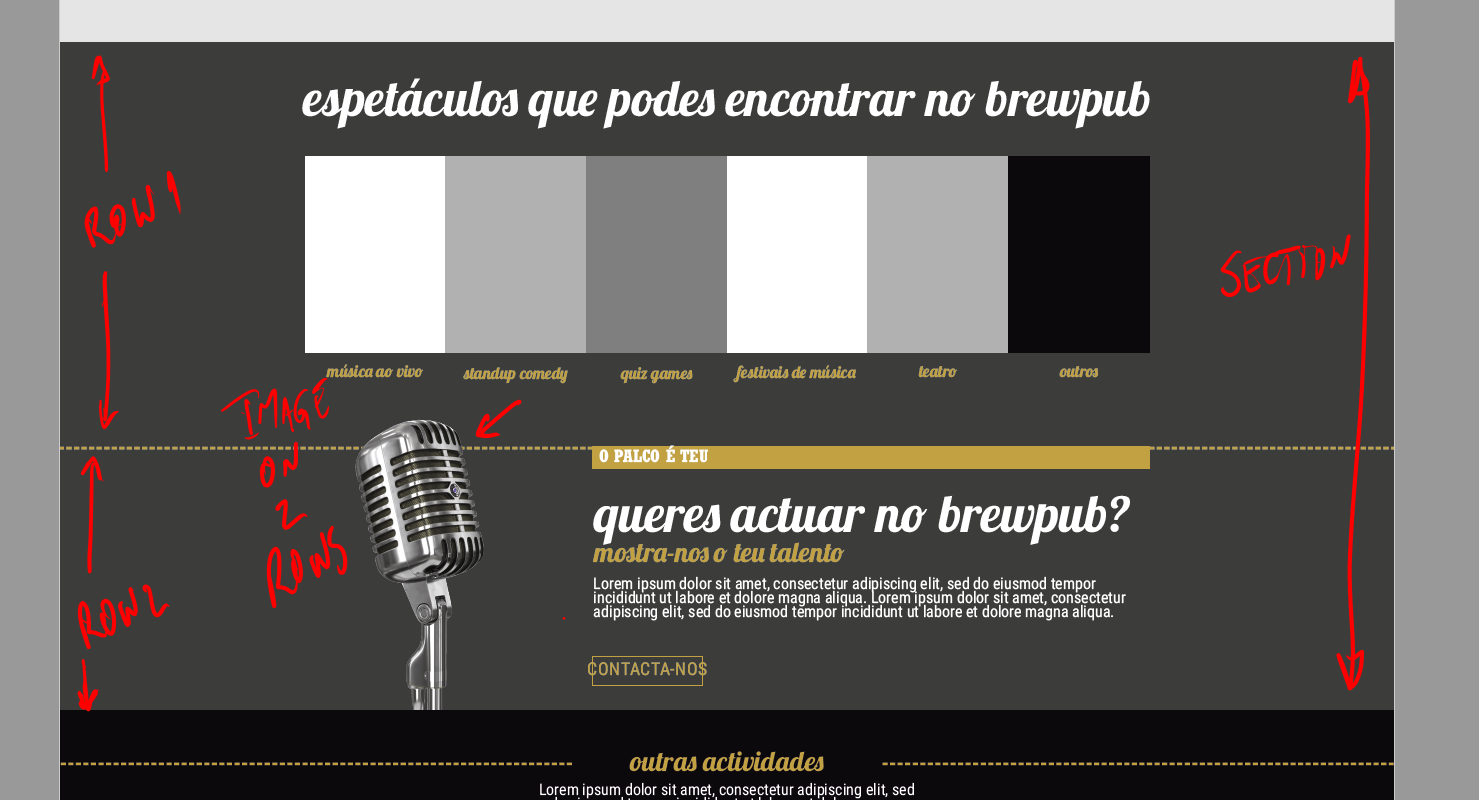
I’m trying to put an image on the below row of a 2 row section in a way that the image passes to the toppest row.
I try to explain with an image:
Thanks in advance,
NunoHello,
I’m trying to put an image on the below row of a 2 row section in a way that the image passes to the toppest row.
I try to explain with an image:
Thanks in advance,
NunoHi @nualexan,
Thanks for writing in.
I believe that you could add CSS to the image like float and margin so that you could move the image both rows.
You could share us your URL so we could check your setup and could suggest the best code.
Thanks.
Hello Nico,
Thanks for your reply.
Tou can see the page in this URL: http://cervejavadia.pt/novosite2018/brewpub/ (almost in the middle)
I’m sending the credentials in secure message.
Thanks in advance,
NunoHi there,
Please edit your page and inspect your image and go to its Customize section and add this CSS to Element CSS input field.
$el {
  position: relative;
  top: -40px;
}
Then adjust the spacing of your rows accordingly.
Thanks!
Thanks!
Go to test.
BR
Nuno
Hi again,
You can also use the following code as well in Theme Options > CSS:
.e18-104.x-image {
    position: relative;
    top: -40px;
}
Cheers!
Thank you!
It worked 
Glad it worked.
Cheers!
This topic was automatically closed 10 days after the last reply. New replies are no longer allowed.