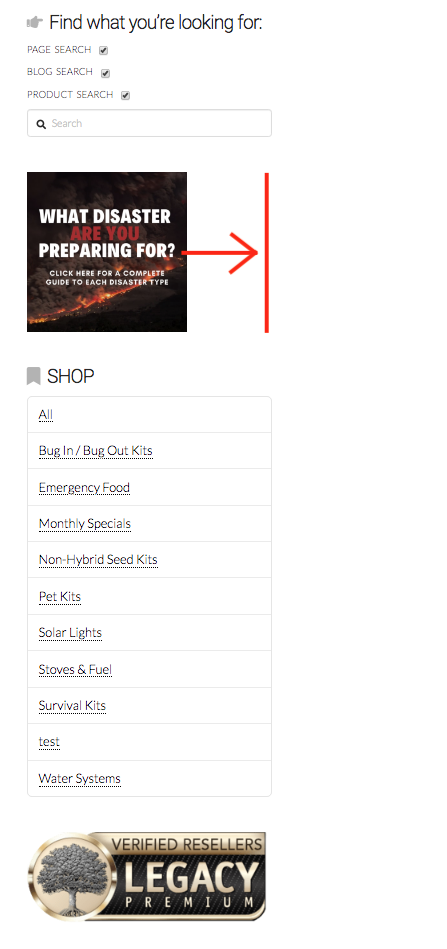
Image not large enough on sidebar

Hello,

I added an image to my sidebar and I was wondering how I could make it fit the entire length of the sidebar, just like the image below it (screenshot added).

I set the image to the maximum size possible but it’s still showing up half the size. Thanks for your help!

  • Nadia

Hi Nadia,

Thanks for reaching out.

It’s due to this CSS,

#media_image-3 img {
    width: 200px!important;
    height: auto;
}

But I’m not sure where it’s added due to the existing optimization, but it’s definitely not part of the theme or builder. Please remove that CSS and it should work.

Cheers!

Oh ok! I have no idea where that code is from but thanks for bringing it to my attention. I’ll try to find it and adjust the values.

Thanks!

You’re welcome!
It’s good to know that @Rad were able to help you out.

Hello! This is not entirely related but I don’t know how else to reach out. I’ve asked a question on the forum twice now, and usually you guys reply within a day or so. I have not received a reply on my other question that I submitted over a week ago. Was it received? I renewed my support with you guys a couple of weeks ago, so I don’t know why I’m not hearing back.

Thanks for looking into this :wink:

Hi @NadiaCrisisEquipped,

It looks like you posted that in the Peer-to-peer forum which is not as actively monitored by our support staff. I will move your topic to the support forum so it can be attended to.

EDIT: I see Lely was able to assist you over here: https://theme.co/apex/forum/t/help-on-a-previous-topic/67393

Thank you Alexander! :slight_smile: