The image on my homepage does not expand the entire width. I have tried solutions that have been posted but nothing works. Please help!
Hey @eutaw,
This is because your image is just 1000px in width. You need to upload an image with a resolution higher than the screen resolution you support. For example, if you want to support Full HD monitors, you need to use a 1920 x 1080px image. 1080px is really not important but the 1920px is.
The reason for that is the1000px image would look blurry or pixelated when shown fullwidth in a 1920px monitor. That is the reason why our themes and builders do not have an option to make an image fullwidth.
In case you do not want to upload a higher quality image though, you will need to add this code in Theme Options > CSS.
Please just note that your image will look blurry in large screens.
.x-img {
    width: 100%;
}
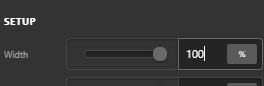
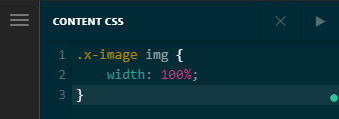
The code is for the Image Shortcode and Classic Image element. For the Image element (V2 or Non-classic), you need first to make set the Width option to 100% then add this code in Theme Options > CSS for global application or Page CSS for per page application.
.x-image img {
    width: 100%;
}
Hope that helps.
This topic was automatically closed 10 days after the last reply. New replies are no longer allowed.