On the web…this looks fine. On iPhone - the first two images are stacking instead of below/above the section. https://reachmobi.com/solutions/
Hi there,
This is normal because this is how the columns behave where they get stacked from left to right.
Since the first column display the text content on the left and the image on the right, on mobile the text content will display on top of the image and on the section column, the image will show up on top of the text since it displays first (left) of the text content.
If you want to change the display on mobile, you can duplicate the second row and place the image after the text column. You can then make use to the Hide based on screen width feature on Cornerstone to hide the original row on mobile and hide the duplicated row on desktop.
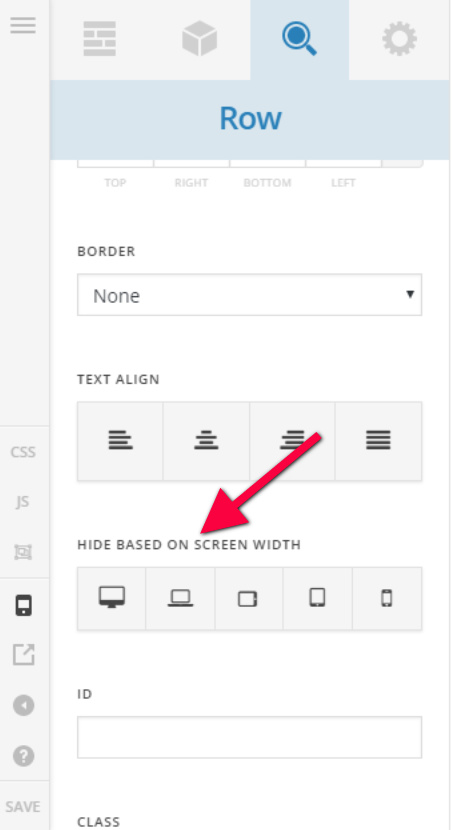
Hope this helps.