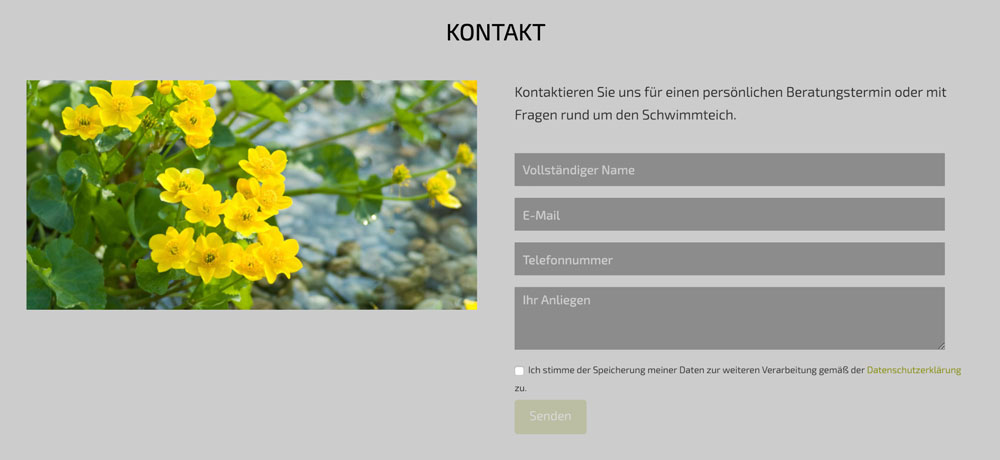
Image height 100%

Hello, quick question

http://box5706.temp.domains/~uxyfttmy/aquatic/schwimmteiche/

how can I create an Image to have the same height as the container (in my case the contact form)…
I have tried some css but nothing worked :confused: somewhere I make mistakes…

thank you!
Hi @bigdreams,

Please try the following:

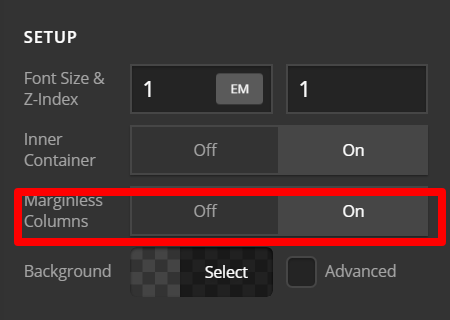
1.) Inspect ROW. Under Setup Tab > Marginless Columns: Set this to ON

2.) Remove the image element. Add this image then as Background Image of the left column. Default settings Repeat is NONE. Size and Position is COVER and CENTER.

3.) Inspect the right column. Add left padding to make sure that contact form doesn’t touch the edge of the image.

Hope this helps.

1 Like

great thank you! works great

You’re always welcome!

Cheers.

This topic was automatically closed 10 days after the last reply. New replies are no longer allowed.