Hello,
In the section “In The News” the images in the 5th column aren’t aligning properly. How can I get them to line up? Thank you!
Hello,
In the section “In The News” the images in the 5th column aren’t aligning properly. How can I get them to line up? Thank you!
Hi,
To fix the alignment, add a unique class to your section.
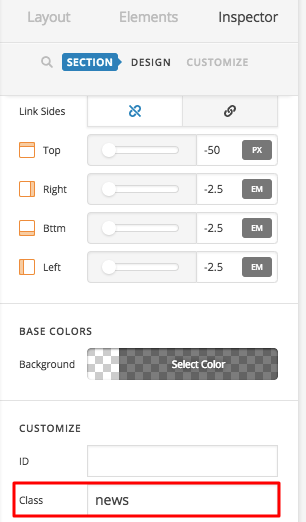
Then add this in Theme Options > CSS
.x-section.news .x-container.marginless-columns>.x-column.x-1-5 {
    vertical-align:middle !important;
    text-align:center !important;
}
Hope that helps
thank you!
You’re welcome.
This topic was automatically closed 10 days after the last reply. New replies are no longer allowed.