Image element not properly fitting

Hi, my website www.vividtreks.com seems to be having an issue that is only seen on either certain computers or on certain screens.

I opened my site to check it on a work computer and the image I have on my homepage looks like its been magnified like 30times or something. The image looks like its zoomed in to just one side of the photo. I don’t have a picture of it since I couldn’t take an pictures from work but just imagine but the link below is sort of what it looks like.

The photo in the link below is sort of what it looks like on my work computer but the one on my work computer is more zoomed in to only the left side of the photo.

I tried to make a photo that at least resembles the issue.

Your assistance would be greatly appreciated.

Hi @vividtreks,

Thanks for writing in.

I could not be able to replicate the problem. Would you mind sharing us more details on how to replicate the problem. Share us the device and browser you used.

Let us know how it goes.

thanks.

@nico I was on one of our older desktops at work. Those computers are probably running Windows XP - Windows 7. It’s really hard to say what caused the issue for the image but I’m assuming it was because the picture was wider than the max width on my theme. I just optimized all my photos and compressed everything so I’ll check again tomorrow on a work computer to see if the issue is still around.

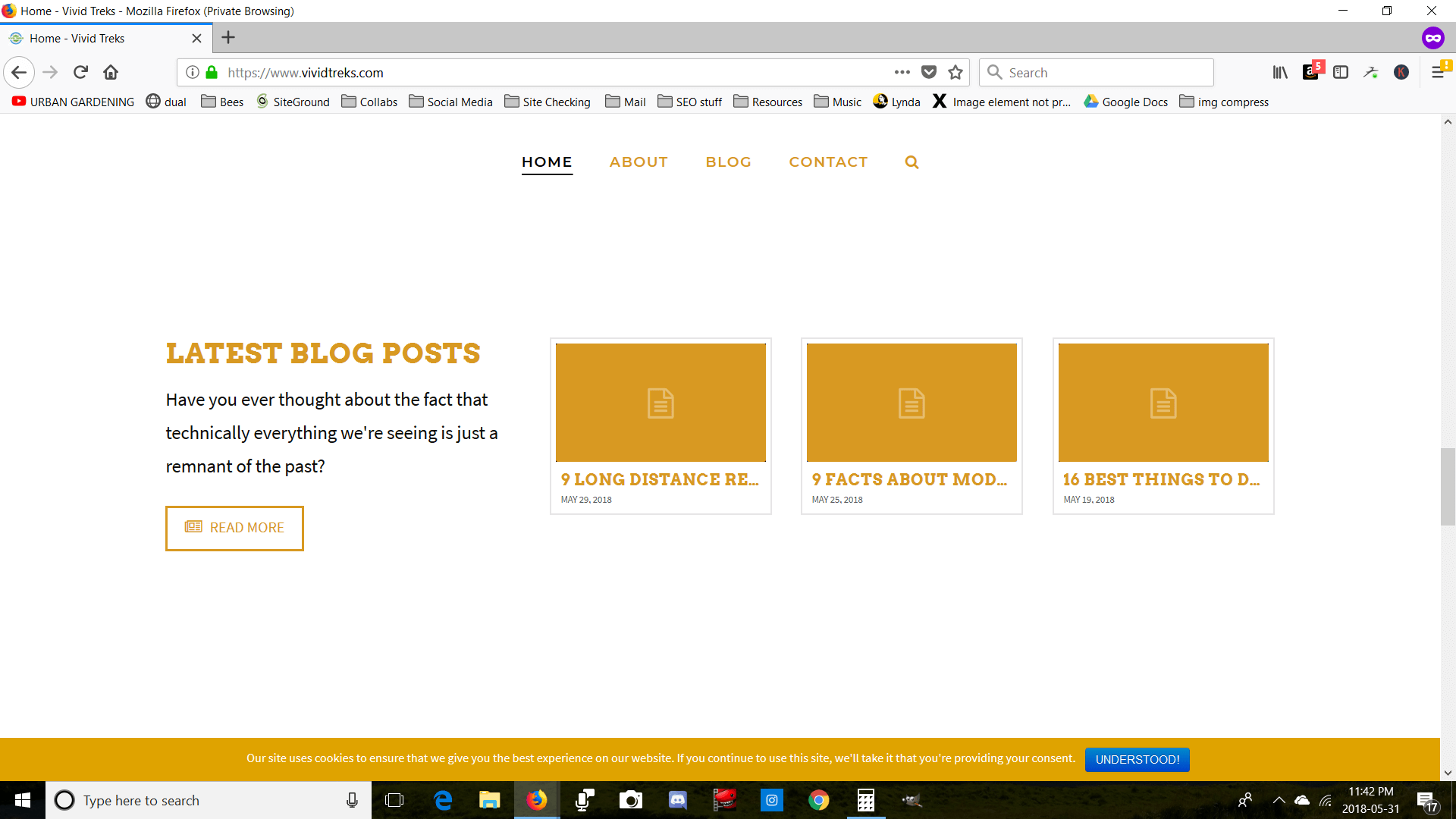
@nico I’ve come across another issue with regards to the photos not showing properly on my home page.

The photos used to show up inside their boxes but now, just the document logo is showing up within the recent posts element.

Hi @vividtreks,

Does the image issue still persist like in your screenshot? But I think it’s not an image issue, it’s probably the section’s container which is set o 90% with max-width of 1170px. If you wish to make it full-width then please inspect the row where your image is and turn off inner container. I may be wrong, but I do see the image is full-width to the row, it’s just the row is small due to width and max-width.

As for the new issue, it’s due to this CSS

.x-recent-posts .no-post-thumbnail .x-recent-posts-img:after {
    opacity: 1;
}

I can’t pinpoint the location since it’s coming from minified and cached CSS. Please remove that.

Thanks!

@Rad For the first issue, I’ll still have to check when I’m back at work.

As for the second issue with the images not showing in the element, after I updated Cornerstone and X, the issue seems to have resolved itself.

Glad your other issue is resolved with the update. Do let us know if you need any assistance with your first issue.

Cheers!

This topic was automatically closed 10 days after the last reply. New replies are no longer allowed.