With all of the new goodies, is there a better way to have a an image stay left and align with text?
I am using a row with the image on the left and text on the right but not using an image from the text editor because i want the benefit of using the image element.
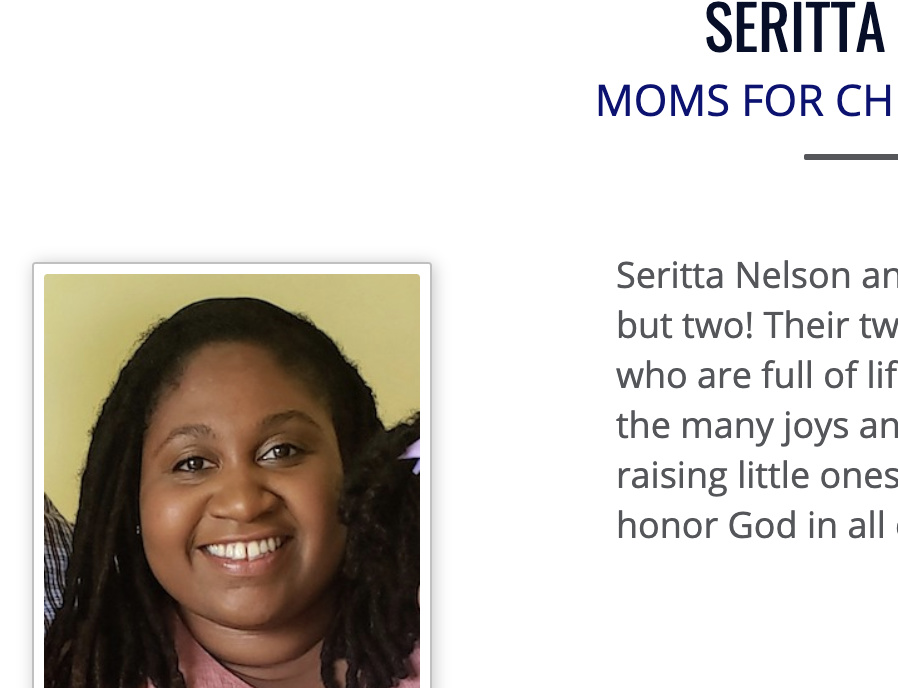
Then the next row is all text and ends up looking like this in most views…
Hey @clefler,
For us to be able to advise the best setup, please give us a picture of the output or display you’re after. For example, if you want the text to flow around the image when viewing in smaller screens, you really need to add the image in the Rich Text editor like the screenshot below.
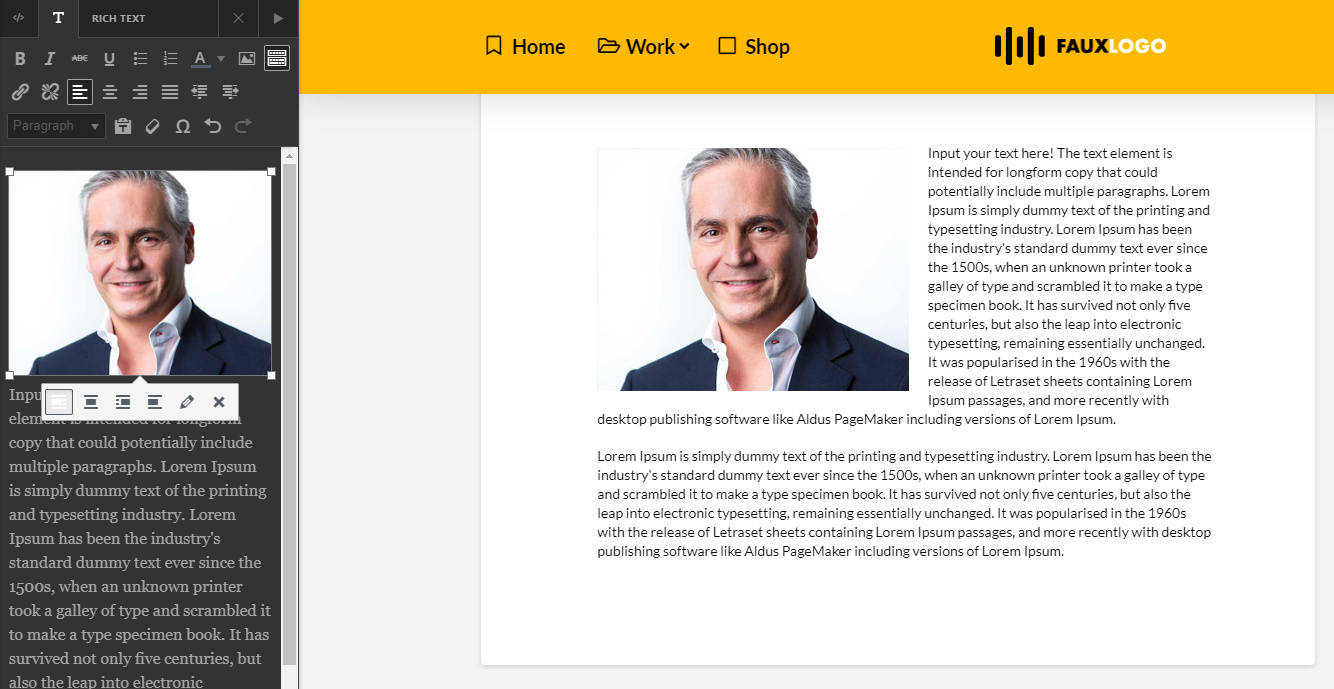
Otherwise, the setup would look like the screenshot below. You need to take into account that the flow text, especially long text.
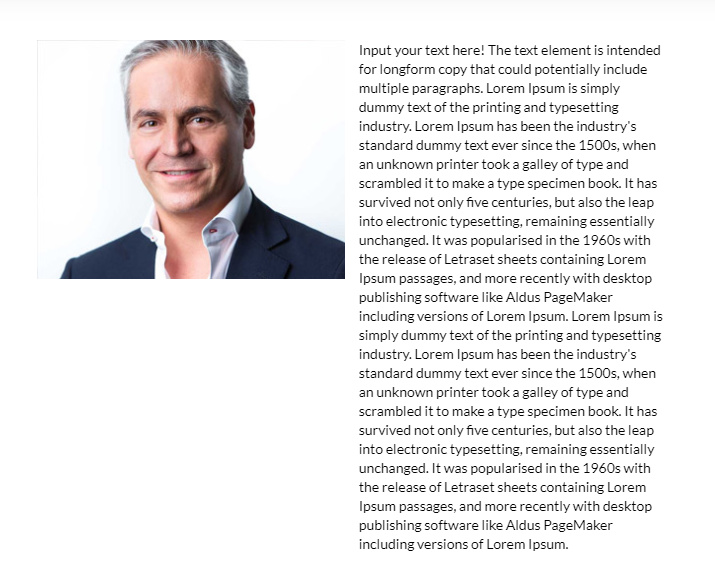
You might also want to use the New Row Layout system as they allow changing the column width based on screen size. Please watch the tutorial below.
Hope that helps.
yes i agree that the best way is to use the rich text editor but then i can’t do the image border, shading and rounding that i can using the image element.
Hi @clefler,
That is possible with custom class. Try to set the border and shade using a class like this:
.custom-img{ /*Edit this values*/
   border:1px solid red;
   border-radius: 50%;
   webkit-box-shadow: 10px 10px 5px 0px rgba(0,0,0,0.75);
   -moz-box-shadow: 10px 10px 5px 0px rgba(0,0,0,0.75);
   box-shadow: 10px 10px 5px 0px rgba(0,0,0,0.75);

}
Add those CSS on page Content CSS.
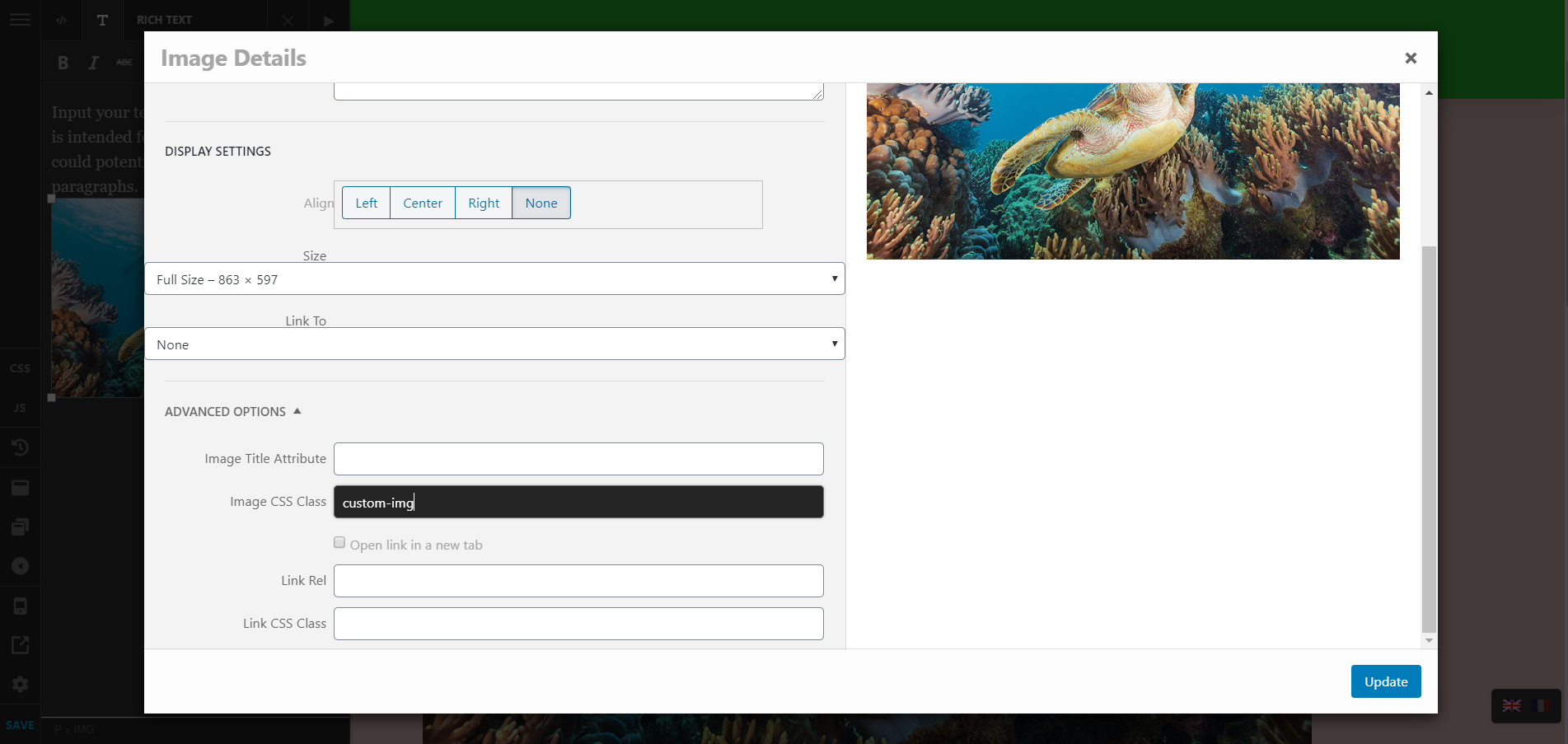
Then add the class on the image like using the popup when you click the edit button when you hover on the image.
Hope this helps.
This topic was automatically closed 10 days after the last reply. New replies are no longer allowed.