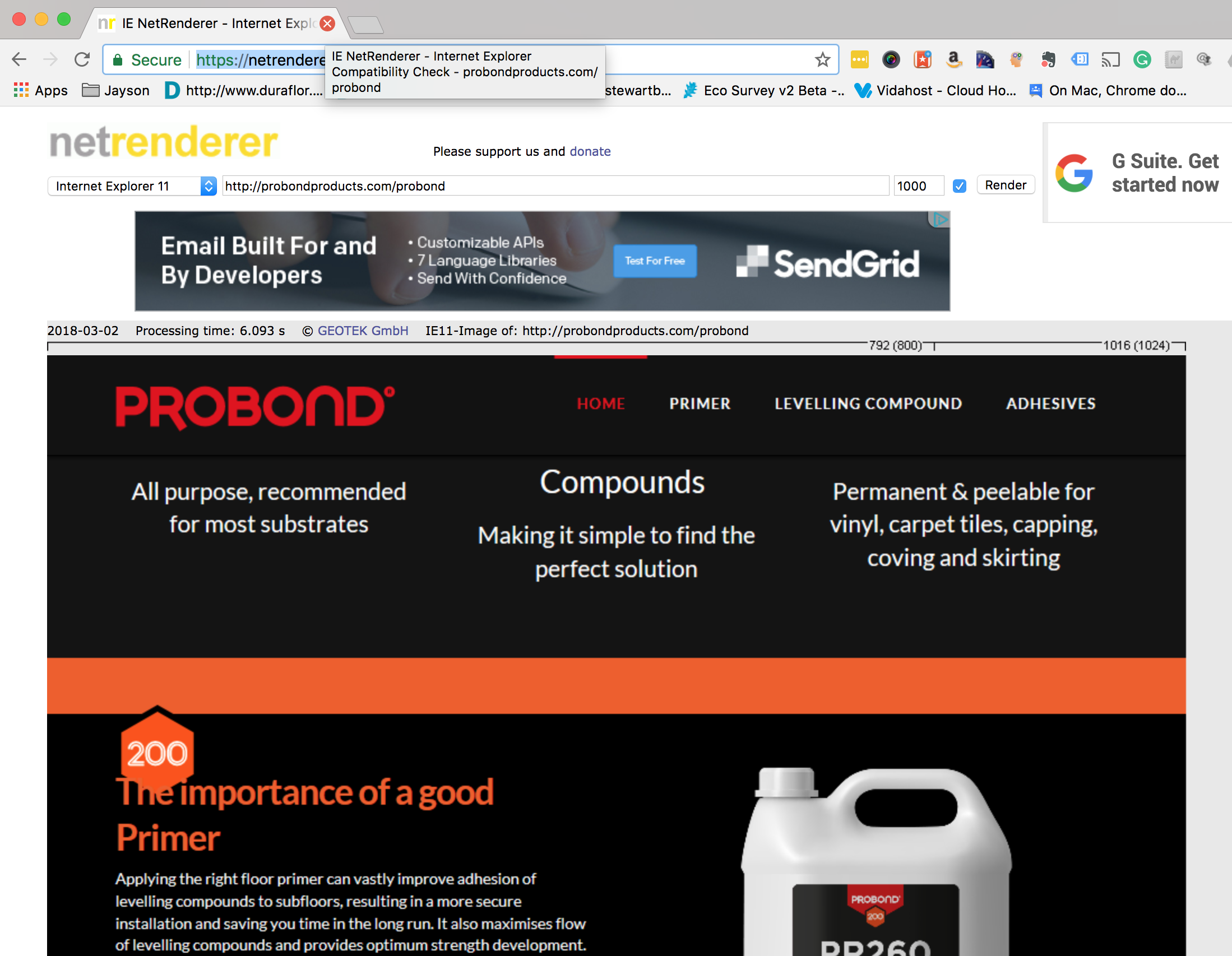
Image displays in different position in Android / Explorer vs other browsers

The image appears correctly in Chrome etc as per this screenshot:
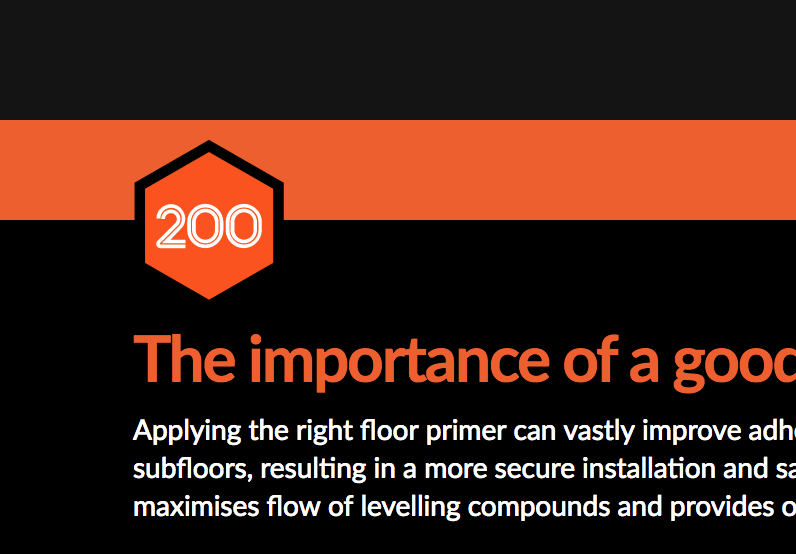
I have used this code to position the image within the container:

<div style="margin-top:10px; width:75px;"><img src="https://probondproducts.com/wp-content/uploads/2018/02/200.svg" alt="" /></div>

In Android and Explorer 11 it looks like this:
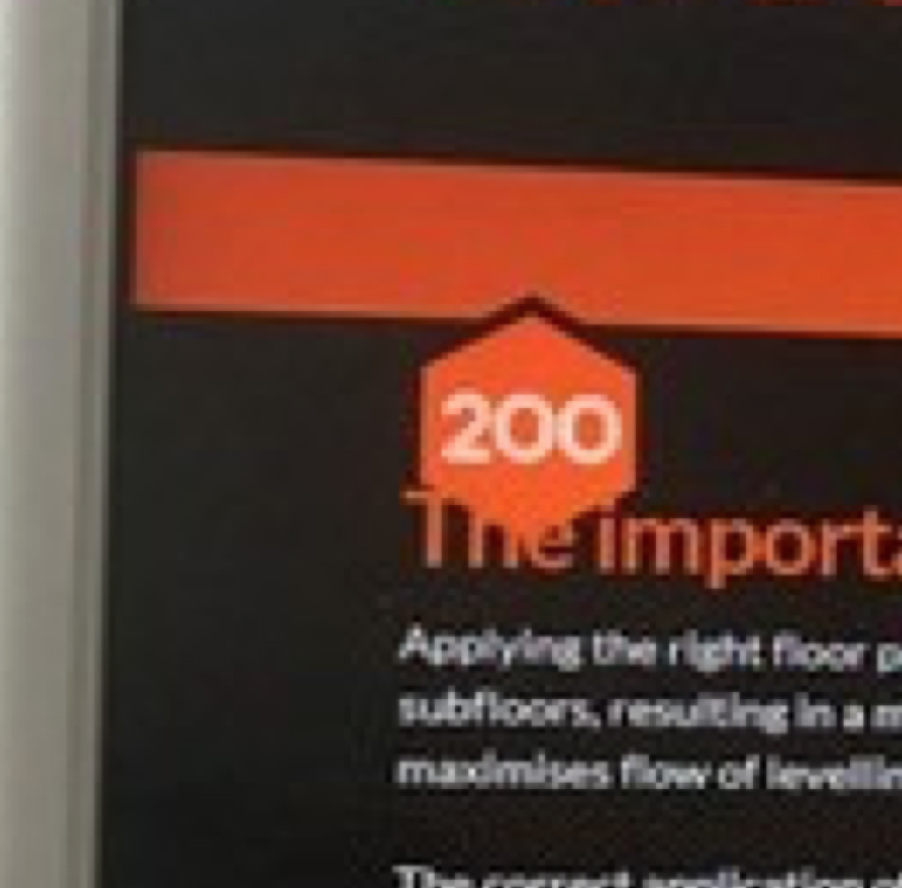
Can you help please?

Sorry - url: https://probondproducts.com/probond

hi there,

Can you please add padding top 10px instead of margin. Let us know how this works.
If that doesn’t help please send us your login details in a secure note to help you on this.

Thanks

Hi Basanta

Many thanks for your help.

Unfortunately the problem is still there.

I have created an admin account for your and included it in the secure note above.

Hi,

I checked in IE and it seems to be fixed.

Try to clear your browser cache and check again.

Thanks

Hi

I don’t have direct access to Explorer and am waiting for a colleague who says the problem is still there to send screenshots.

However, I have used Net Renderer and it shows the problem still in IE11:

Hi There,

Neither I can replicate the issue, the icon shows up the same way in Chrome and IE.


Please tell your colleague to clear his/her browser’s cache.

Cheers!

This topic was automatically closed 10 days after the last reply. New replies are no longer allowed.